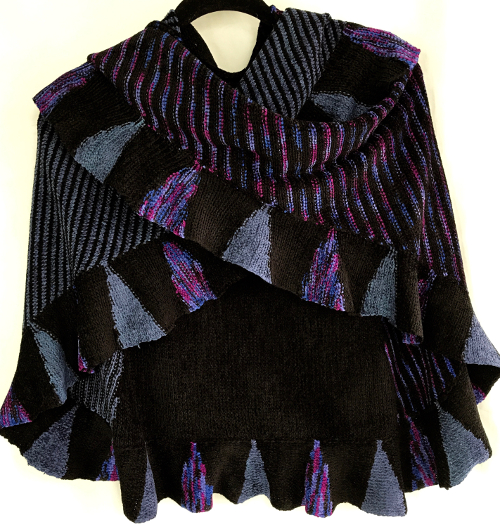
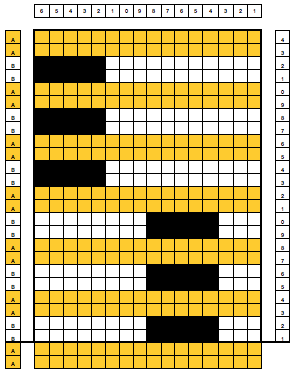
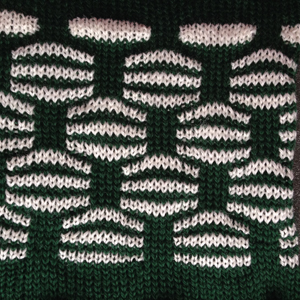
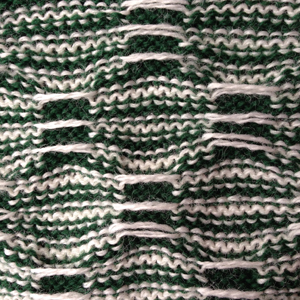
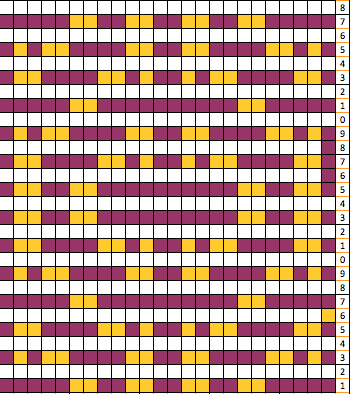
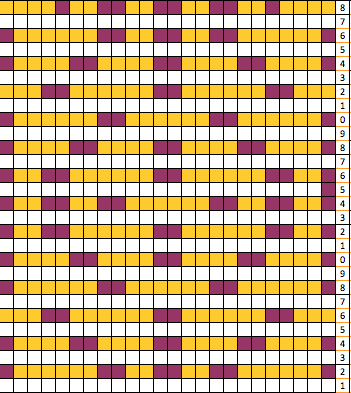
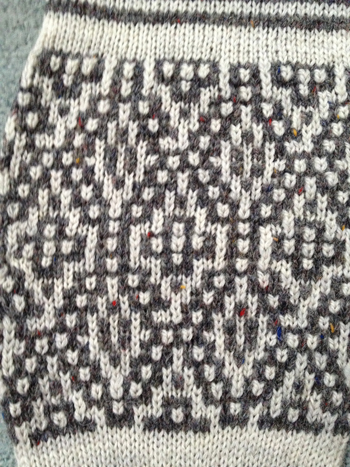
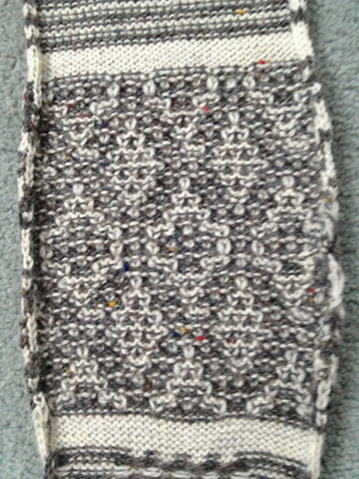
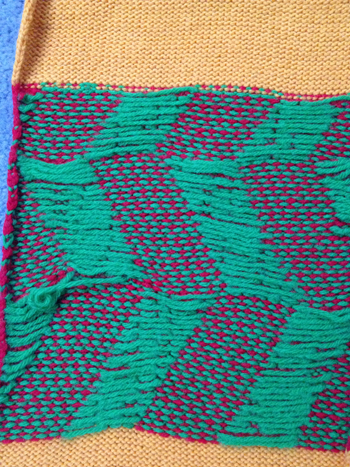
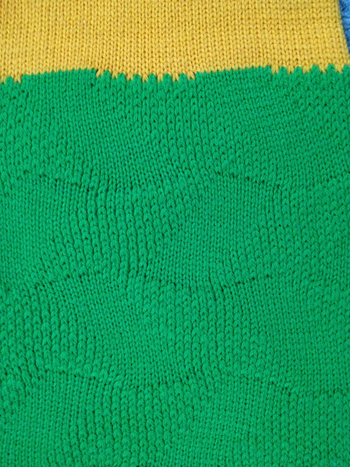
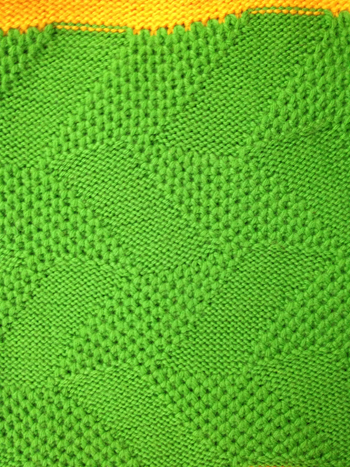
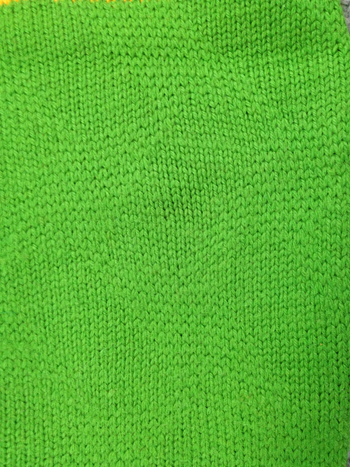
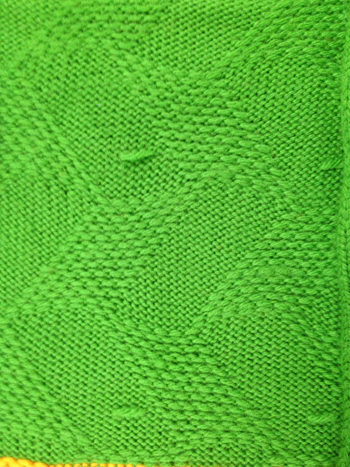
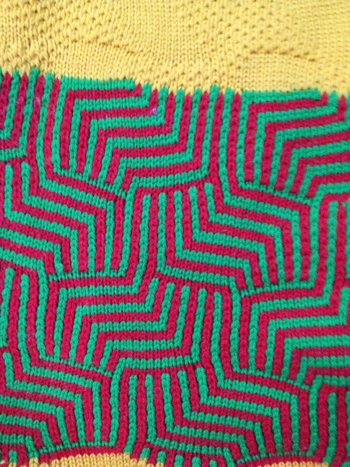
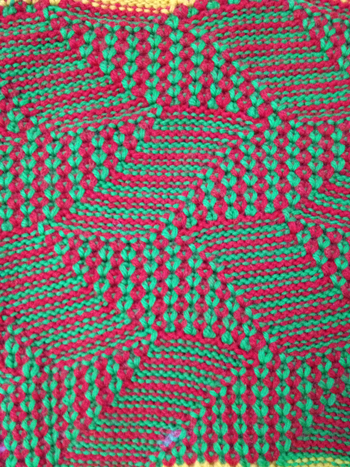
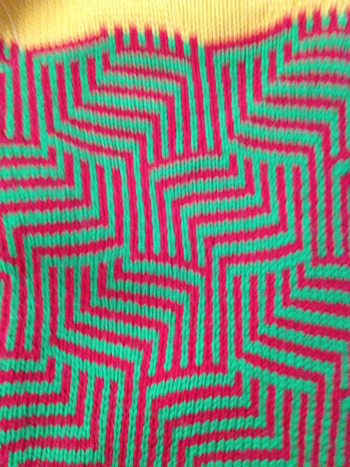
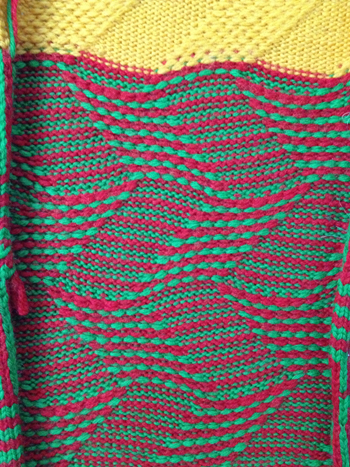
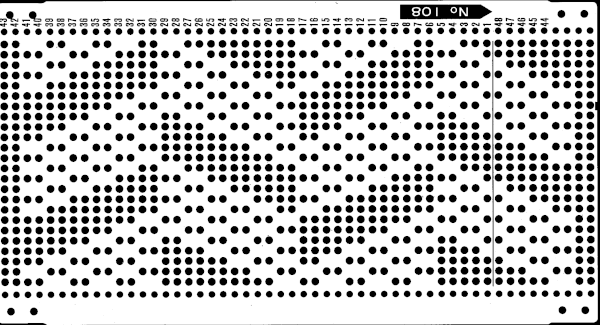
Lace edgings on Brother machines- automated with slip stitch

I wrote this post (unaltered) in March 2018, returned to the topic of automated lace edgings on Brother machines in July 2020. As often happens after some distance, details may be freshly observed or seen in a different light, and approaches then in turn vary or change.
Some of these edgings have been reworked, and new ones added in subsequent shares.
My blog posts include my notes as I work through concepts, not every chart represents a successful repeat.
As of this year (2020) I no longer own a 910 or an Ayab interface, so I am unable to provide further tested revisions or advice on their use.
The edgings outside this post were knit using img2track, but the same repeats should work in the 910 with Ayab with adjustments for starting row and mirroring.
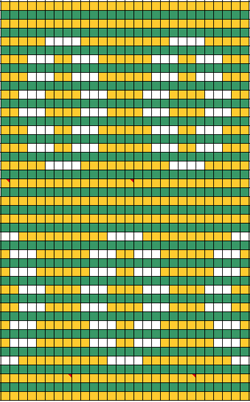
At some point in time I began to include pngs as well as charts for my designs, they will be added for these trims as I review content.
A reminder: although I make an effort to include punchcard knitters in my writings, the 24 stitch repeats shared and used for my swatches testing this technique and knit on an electronic, are not suitable for use on punchcard machines. They would need to be adjusted along their full height.
When 2 carriages engage the belt selecting needles as the carriage from the opposite side first comes into use, the punchcard does not advance, selecting the same design row once more.
Many early published trim repeats were intended for use with hand transfers combined with plain knit rows. Such designs may be translated for use on electronic models using this technique.
The initial goal here is to produce a knit fabric using lace transfers in a familiar way, but the knit carriage will now be set to slip in both directions, also selecting needles with each pass.
In routine transfer lace knitting, the KC is set for plain knit, does not preselect needles, or advance the mylar, punchcard, or rows in electronic patterning.
This image, where all blue squares represent knit stitches and white squares unworked ones, is the start of planning it to produce a piece of knitting on the machine.
The initial hand technique approach might be to use a single prong tool to move the edge of the blue in one stitch to the right for a decrease and out one needle to the left for an increase.
When the decrease is made on the bottom curve, the needle from which the stitch was taken must be pushed back out of work.
When an increase is made, an empty needle is moved to work on left, and the last stitch on that side is transferred onto it. As knitting continues, that now empty needle location will create an eyelet.The stitches on the needles at the decreased edge will hold two stitches after the transfers, the ones at the increased edge will hold single stitches after the transfers, producing a different quality.
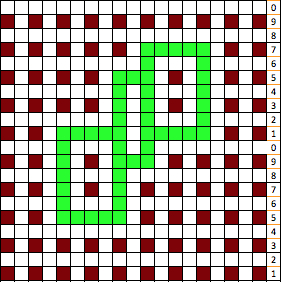
I decided to “wing it” for the first swatches. This illustrates the same knit shape. Blue rows represent all knit rows and stitches, the empty pairs of rows leave areas to insert lace eyelets in a pattern.Arrows indicate the movement of the lace carriage on left, knit carriage on right. Red squares now represent transfers to right, green ones transfer to leftA second transfer to the right is included in the pattern close to the left edge of the trim to create eyelets next to the decreases, matching those eyelets created by stitches moving out in the increase segment of the chartA theoretical series of right and left transfers is then inserted, creating a shape in the center of the trim’s widthNow reducing it all to black and white squares or pixels for first preselection from right-hand side using an electronic. This repeat is not suitable for use in a punchcard machine even though it is 24 stitches wide. Electronics advance a design row with each pass of the carriage when cam buttons are pushed in and with both carriages set to needle select. Punchcard machines in those circumstances do not advance when the alternate carriage is brought into work from the opposite side.
This charted repeat and any designs beginning with a single row of black pixels are usable as shown on an unaltered910 using a mylar, or download programs that allow for the first preselection row from right to left.
The LC operates in the traditional manner from the left, KC from the right but in the decreasing shape, the transfers begin to the right instead of the traditional left. This requires a shifting of pixel placement since the traditional start in published Brother designs is usually with transfers to the left. Planning the repeat in that manner reduces the number of blank rows. For use with Ayab software two other things need consideration.
Ayab mirrors lace repeats, so either mirror the repeat of the original design or choose action mirror in the software prior to knitting.
This is a screengrab of the repeat used for the initial test swatch.
The designs shared are not always resolved, problem areas are pointed out in proof of concept fails.
The section where the diamonds cross in at the center of the design was altered in the later repeat. Since the knit carriage in the present Ayab version needs to preselect with the first pass from left to right, and to knit two rows with  two more KC passes to return it in position on the right, the top row of the proposed design was moved down to row 1 position, resulting in two rows of all black pixels.
That can be achieved manipulating the starting row count or simply planning for mirroring and black pixel row starts in the DIY png.
Brother preselection can be confusing to new users. Carriages can knit one preselection while concurrently preselecting the next row.
Design rows as numbered in any chart may differ from those on a KM row counter or prompts from software.
To review: the KC here preselects left to right, knits black squares to left, preselects the same needle selection again to knit those same stitches traveling back to its home on the right, creating the two knit rows that in “normal lace” would be worked with the KC simply set to knit.
As the KC now knits the second row, it preselects needles for the first row of transfers, rests on the right
LC transfers to the right as it travels to the left preselects the next row of transfers. As it moves back to left it transfers to left, preselects for first of 2 all knit rows, rests on left
The sequence is repeated until the piece reaches the required length.
In these first repeats where the designs begin with two all knit rows, end needle selection is off on both carriages.
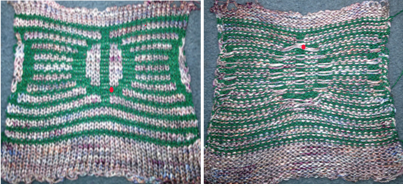
As LC travels to left, because of no end needle selection, the first needle on the right is not selected. An option is to manually pull that needle out to insure it knits. I preferred the chain created by those single stitches knitting only every other row, but was not happy with the elongated stitches on alternate rows edge stitches on the increase side. These would be the carriage actions I had a serious yarn tangle on the right about halfway up the swatch, with some of the evidence visible near thecenter of the swatch photo changing that crossing of the diamond outlines, still “winging it” 
My fiber is now crisp cotton, unmarked weight, tension 8, and it is much easier to observe areas that may still be a problem for me as the designer.
Ideally, I would prefer the lines created by the transfers marked in cyan to match the quality of those immediately below or to the ascending part of the diamond on their opposite side, which would require changes in the transfer sequences and space between knit rows.
The LC non-selected stitches on the straight creating every other row slipped stitch is still something I like.
The difference on the edge stitches in the ascending angle is happening because with each transfer out, there is a single thickness of yarn on the new edge stitch, and moving the stitch over a needles space elongates it.
Longer loops are also created when single increases are made by bringing needles into work on the carriage side prior to knitting a row across all needles. In the trim’s decrease edges, the transfers in each new edge stitch have double the yarn thickness contributing to a different appearance, highlighted with magenta arrows. There are 2 rows that have no edge transfers programmed intentionally in the center before reversing direction, so that area has no resulting edge eyelet.  The last shot at adjusting the repeat, with improvement in those cyan, marked areas. Plain knit rows may be added between each repeat, the edge of the knit will be different than in the remaining trim on each sideGoing back to the wheel that has already been invented, how can pre-drawn published MK lace repeats be used instead of “winging it” endlessly or not having the confidence to perform the necessary assigning symbols and proceeding with the required separation? Still trying to work with a pattern that knits for 2 rows, transfers for 2, a chart from Stitch World:

marking the 2 all knit rows that will be plain knit by programming black squares The pattern is actually for an all over lace. All the transfers in the central diamond actually are happening in the same direction. If the repeat was programmed in the usual manner, beginning with LC on the left, those transfers on the first design row and in the whole of the center diamond shape would all be to the left. I can live with them all being to the right, and would be interested in more eyelets at the edge of the trim. Here is a new repeat, with the increased eyelets at the curved edge There is a disruption for 2 rows in the very center of the diamond, where no increases or decreases occur on the shaped edge prior to reversing the shaping. It was there in the earlier sample marked with arrows as well, but not as noticeable where the edge was created with the addition of single eyelets on increase and decrease rows.For pngs for this reworked, more resolved repeat see Lace edgings on Brother machines- automated with slip stitch 2. 3/7/18: a lace punchcard repeat with transfers in opposite directions Assigning colors to transfers: red to left, blue to right. In theory the same repeat could be used flipped horizontally for operating the lace carriage from the right. Yellow lines highlight the 2 blank rows in card that will be replaced by black squares/ pixels (remember rules are different for slip and lace in punchcard knitting)Since the goal is a trim, things are rearranged for knitting to begin on the full 24 stitches There are 2 ways to get the above repeat to work, one is by adding extra blank rows. I chose to reverse positions for transfers, moving left transfers up one row, and red down one row. With lace carriage operating from the left this is my new repeat, with edge shaping added for trim edgeKC is set to slip after the first preselection row, first set of transfers is selected on its second pass to the right. The first transfers with the LC are made to the right, the second set to the left. If knitting the repeat using Ayab remember the above is mirrored by the software, so choose action mirror prior to configuring it.
I knit a swatch using the thinner yarn again. The difference in increasing angle can be seen here as well, the pattern is short, so the outer curve of the trim reflects that

3/10/18: an adaptation of Susanna’s automatically shaped trim for Brother KM, p. 223 of “A Machine Knitter’s Guide to Creating Fabrics”.
This chart shows the first rows of the published punchcard. Please note: using my own lace carriage, when I tested canceling end needle selection, the problem was not solved. Brother setting recommendations made for a similar transfer pattern in an edging published by them, are given and repeat is pictured at the end of my post.Row 1: LC moves to the right, no needles selected
Row 2: LC moves to left, preselects next row of transfers
Row 3: LC moves to the right, transfers preselected needles to right (red dots), selects needles (if any) for next pass to left
Row 4: LC travels to and transfers to left (green dots), preselects for the first row to be knit by KC In this particular pattern the direction of the arrows match the direction of the transfers with movements of LC operating from left
Row 5: KC from right, set to slip <–  –> knits all needles in D position, repeats the same selection as it travels to left (yellow marks)
Row 6: KC travels back to right, in the second shaped knit row, preselects for the next transfers to be made by the LC
Row 7: LC travels to and transfers to right, preselects for next row of transfers
Row 8: LC travels to left, transferring to left if any needles have been preselected on the previous pass, and the process continues
The numbers on the punchcard chart do not reflect actual row numbers in knitting because when row 4, 10, etc is reached, on the next pass (a blank row in the card), the card does not advance and the previous selection is repeated. For each carriage to make an even number of passes to travel to and from its original position, the total length of the repeat must be an even number of rows.
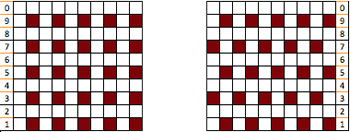
Here is my series of steps in attempting to adjust the 24 stitch repeats for knitting on the electronic.
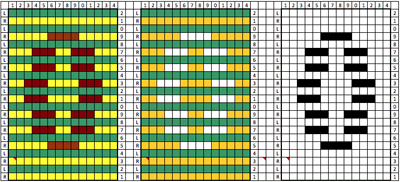
A for an unaltered 910
B indicating the direction of transfers (red to right, green to left). Arrows mark the problem row, and my solution to it
C on the far right, the repeat converted to black and white pixels, with a single all black pixel row 

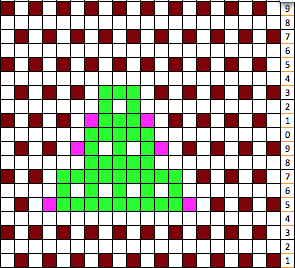
Both KC and LC are set not to select first and last needles in the directions. When the decreases start to happen on the left of the chart because the end needle selection for transfer to the right again does not happen in areas marked with magenta arrows,  there is an extra stitch that remains on the left that does not get transferred (orange dot) so it is not knit off and simply get held as subsequent rows of knitting take place.
Restoring needle selection in the LC is not a solution for the problem, so the final repeat has been amended by me to get that edge transfer.
The pattern starts on cast on 20, not the full 24 stitches. Ayab knitters: use the LC to begin selection from left.
The first pass will select for a knit row, push those needles back to B, and the LC will select for transfers to right on the next row as it moves to the left. When knitting is to take place there is a clear distinction in the number of selected needles (black squares).
The KC will be set to slip <–  –>. Make certain to remember to return the remaining 4 of the 24 total stitches back to B so the full repeat is in work on the needle bed before continuing in the pattern, otherwise there will be needles there to accept stitches moved over for increases to left.
The two extra passes of the LC in this method result in a 2 stitch border on the increasing and decreasing angles of the piece, creating a much nicer edge than that in the samples at the top of the post. The eyelet so close to the right edge stitch which also winds up being slipped every other row made for very messy loose stitches in the thicker cotton that I could not control. The sample did better when I pulled the non selected needles on knit rows out to hold prior to moving across them with KC.

Adding extra stitches knit on the right side of the original repeat made it possible for me to use my cotton again, giving me a controllable edge on that side without having to pull stitches out to make them knit.
To my eye, I find the extra passes with the LC and extra knit stitches are well worth the effort along with planning extra knit vertical columns in the finished piece

I prefer to start my repeats on the full width of the repeat, this 24X70 png shifts the first segment to allow for that, still with a single all knit row start, making it suitable for non-Ayab knitting, its png is mirrored as it might be, depending on end use prior to downloadThe 26X70 repeat with start at the narrow end  its matching png without mirroring, and beginning on the narrow end of the design. Something to try: I found instructions ascribed to Brother for another version of edging using a pattern that has the same eyelet sequences along the shaped edgings. Their recommendation for a 950i is to remove the non-selection mechanism on the lace carriage, and mention was made of the “rubber wheels on the carriage” being uppermost, allowing the end needles to be selected.
My lace carriage at this writing has fixed, old fashioned brushes, not rubber wheels, and my eliminating end needle selection did not solve the problem with that single stitch in the center of the repeat. And if there is not enough to keep track of, this also combines fine lace and traditional transfer lace, would work fine as just lace.
Many patterns recommending switching between fine fine transfer lace and traditional can be attempted without switching settings, as all transfer lace.
In fine lace, stitches are shared between two needles,  the technique is sometimes referred to as half- lace stitch. Any resulting eyelets are significantly smaller, and the texture created by the partial transfers is subtle 3/15/18 after more testing I have come to the conclusion that end needle selection cancellation on my 910 LC is working properly, but is not operative when I am working with my Ayab interface.

Knitting in pattern with 2 carriages vs color changer, Brother punchcard KMs 2

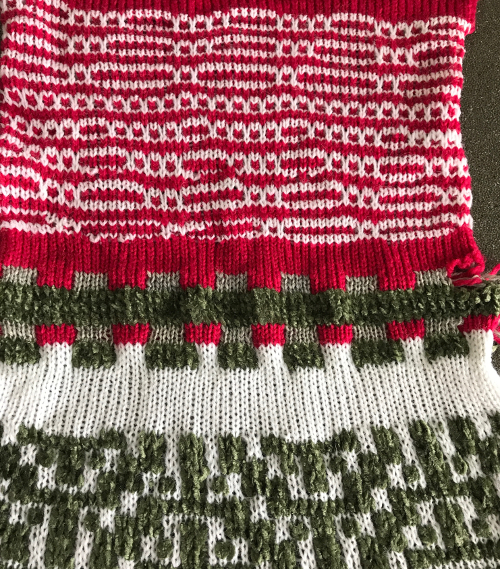
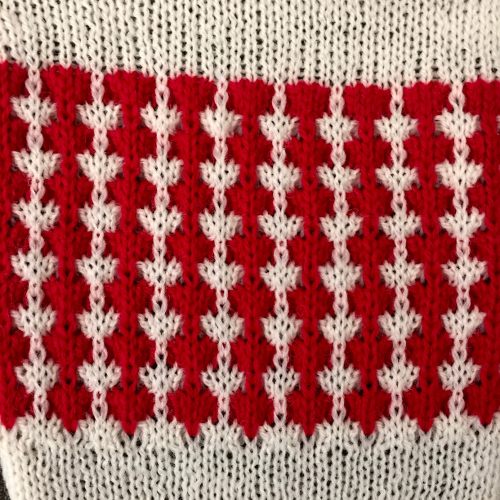
After my recent attempt to resurrect my single bed color changer and frustration with my 910 behaving “flaky” when reading mylar sheets drawn using template marking pencils (perhaps, because over time of some of the marks flaking off the surface of the mylar, with changes their density as a result), I went back to the idea of using my punchcard machine. I pulled out an old friend, illustrated in my post 2012/10/15/mosaics-and-mazes-from-design-to-pattern/ , had forgotten about my other post 2016/08/25/knitting-in-pattern-with-2-carriages-brother-punchcard-kms/ and actually came up with a second alternative for starting to knit with 2 carriages. Here is a bit more description: I began with a card punched with repeats that are single rows in height, and would normally have to be elongated for use with a color changer. Since 2 carriages are used, the starting side does not necessarily matter. With COR, color 1, carriage set to KC, card set on row 1 but not locked, but rather, set to advance normally. The first carriage then is moved to the opposite side of the bed (in this case the left). The second carriage is now placed on the extension rail on the right, cam settings set for the choice stitch to be worked (in this first case tuck or slip). It is threaded with the second color, is used to knit 2 rows of col 2, returns to right. The carriage on the left now comes off the rail on that side and onto the needle bed, with cam buttons set for appropriate stitch type, it travels to the right,  and then back to its starting point. Yarn weight alters the appearance of any fabric considerably. As always, slip is short and thin, tuck short and wide.
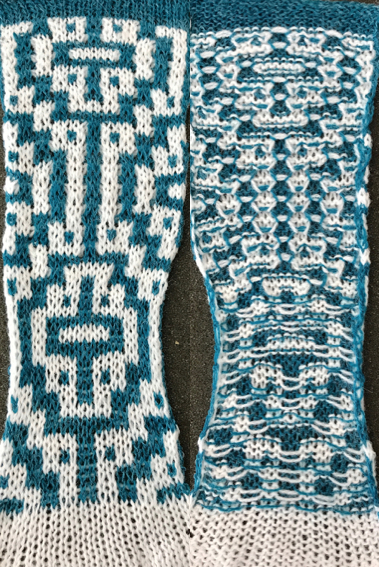
The same method may be used with any punchcard requiring color changes every X even number of rows. FI can be knit with 2 separate sets of colors in each carriage, or with one carriage set to select but with no cam buttons engaged for solid color stripes between motif repeats (it will plain knit, with color in A feeder, the card keeps advancing). Cam settings may be combined for different or opposing textures or stitch types without any manual changes to cam buttons. Of course, also helps if your punchcard is punched correctly to start with ;-). Problems in the slip stitch red and white segment were due to tension adjustments being needed for stitches to knit off properly. 

Lastly, there has never been a single bed 2 color changer for the 260 bulky. Extension rails for the bulky machine were manufactured at one point. If a second carriage for the bulky is available as well as the rails, working this way opens up a range of complex fabrics for execution more easily.

And then, buyer beware! I am still experimenting with a patterned ruffle. So I tried the card first with 2 carriages, but the design was different than one of my aged swatches using the same card.
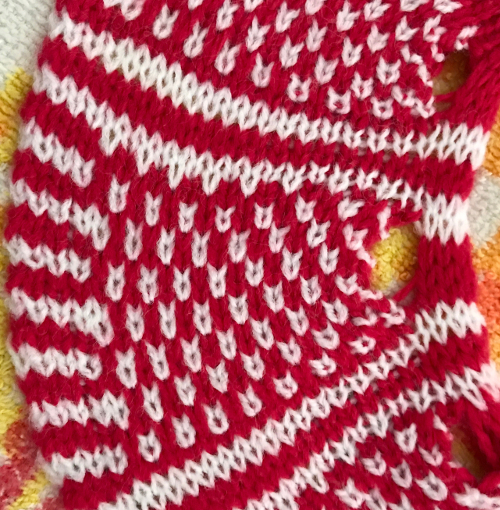
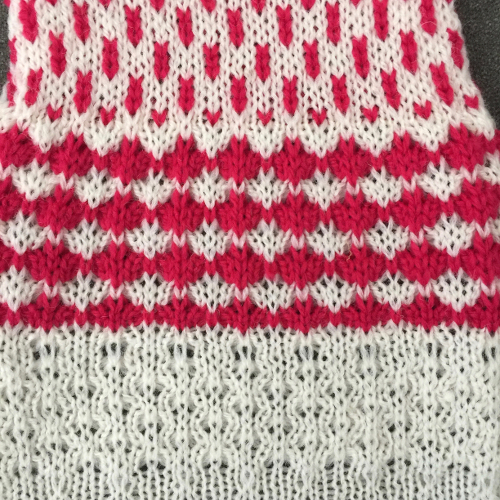
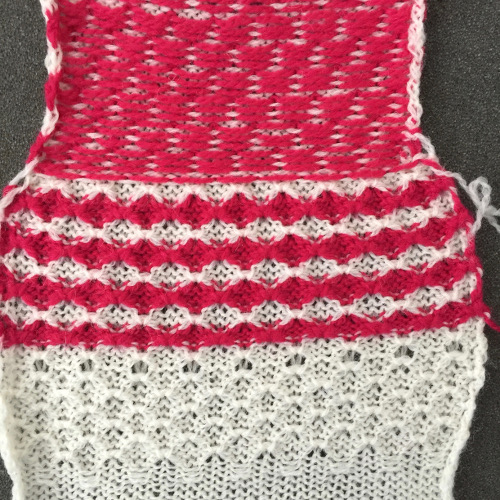
I went back to the color changer, assuming this yarn pair might work in it, and it did, but here is the resulting fabric, so it would appear the above is technically twice as long. Frankly, when the color changer works, when only one carriage cam setting is used or very few changes are needed, and if you don’t do things like pushing the wrong button, have your yarns happily mating or causing loops in all your brushes as they travel from the yarn changer side, it may even be quicker than using 2 carriages. What is possible may not produce what you originally intended, but sometimes the surprise can be a very pleasant one. If not, then it’s back to the drawing board to accommodate the techniques and yarns involved. Pictured below is part of the working repeat, whited out areas are not punched for these swatches, they are covered with cellophane. Denise Musk’s book on the technique of slipstitch provided the source/ inspiration for the experiments. For the second swatch, the card was flipped over vertically. 
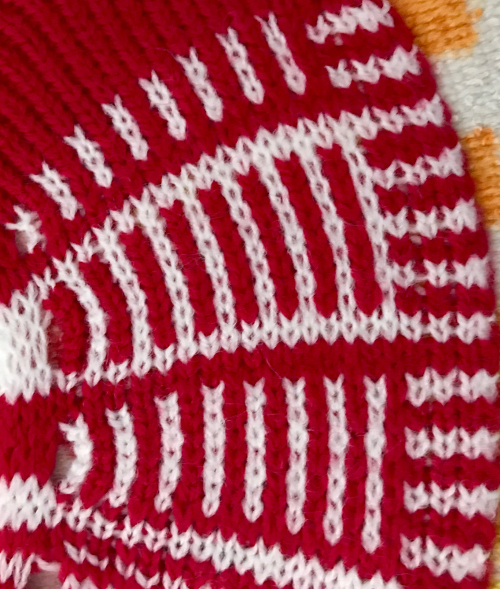
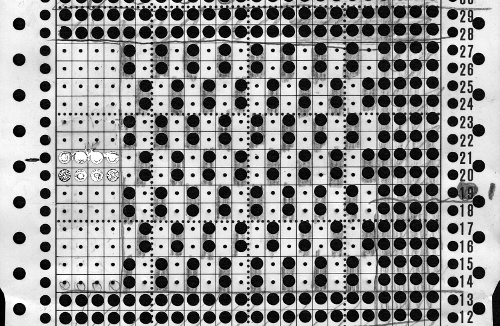
Areas of the knit placement on THE needle bed may be changed to suit. I like working within the 24 stitch marking on the needle tape for this sort of work. Flipping the card vertically when using the color changer in this instance will allow that, and begins each row with knit stitches (every hole punched on right in the image above), and patterned knitting and needle selection stops shy of the “slipped” stitches (unpunched areas on left). In using the slipstitch setting this may not make a significant difference since the yarn threads stay in front of the gate pegs. This repeat is also suitable for the tuck setting. The yarn gets laid in hooks as the non punched area of the repeat is cleared. While not knitting or necessarily affecting the pattern, this can cause added issues with loops and yarn tangles on that side (one may be noted in photo of purl side of swatch below). Seam-as-you-knit can also now occur on the opposite side, away from yarn ends and color changer.

Purl side showing loop at non-knitting (or punched) side and edge curl on the left may actually be used as a “design feature”. The density of the tuck stitch helps keep it in place.
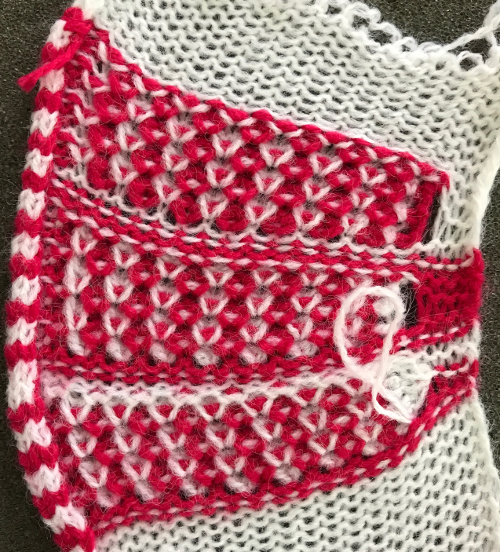
the knit side 
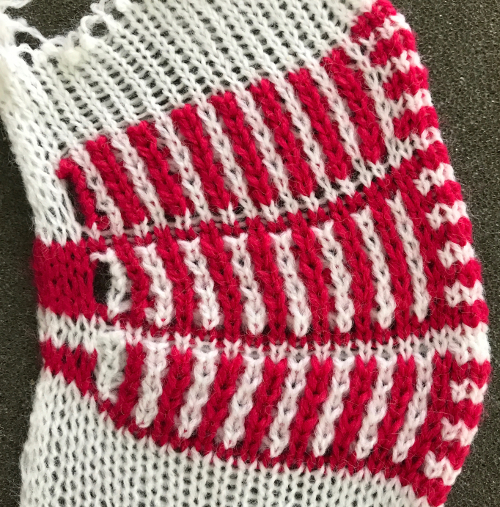
an “oldie” of mine, using the technique in a single color 

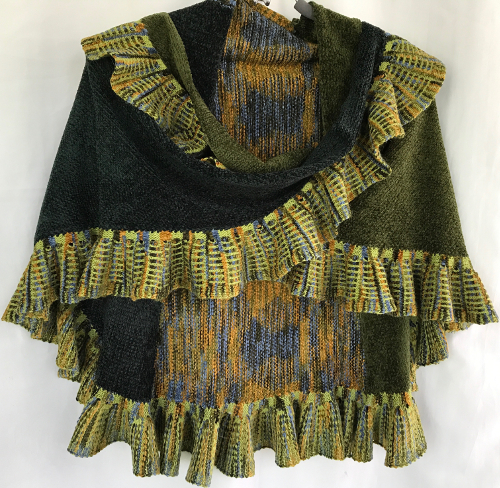
4/6/17 I am getting along better with the color changer by making different yarn choices, so I now have a WIP, and am going about a shawl design backward: ruffle first, body later. Reasoning: seam-as-you-knit should be easier if not taking place during ruffle knitting. If the latter is not bound off it may be continued with body knitting taken off on scrap yarn if needed to facilitate doing so. BTW, as with all knitting that uses patterning on only part of the knitting on the machine, end needle selection must be canceled on the knitting undercarriage. Any reverse movement of the carriage will advance the card for a pattern row, so that is an added possibility for errors as the knit grows in length. The pattern has 18-row segments, 36 for the full repeat. For 36 passes of the carriage, only 8 full rows of knitting take place. Every individual has their own design process. I tend not to sketch, but rather to make decisions as each piece grows. As for some math? 800 rows would actually take 3600 passes of the carriage, the shawl requirements TBD. (3276 on completion).

A previous post with notes on color changers: https://alessandrina.com/2014/01/26/some-notes-on-machine-knitting-color-changers/

Older model machines had no provision for a second yarn mast, and an accessory was available for mounting on their left side. Having the yarn in that position brings it closer to the changer and seems to help with undesired looping and sliding within the changer’s wheels. This shows the carriage traveling toward the extension rail, with the auxiliary mast in place
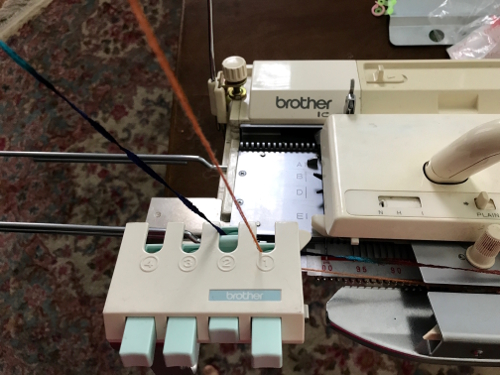
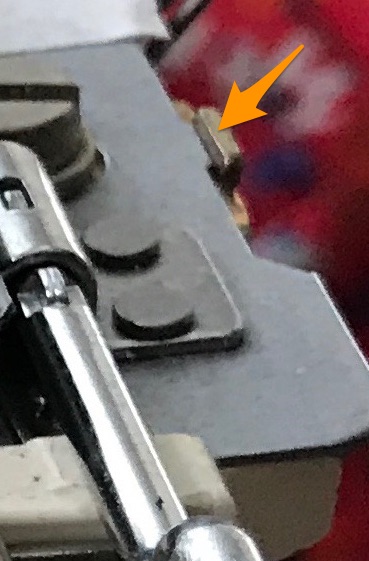
If the ribber setting plate needs to be moved forward in order to balance your ribber when in use, setting it as close to the needle bed as possible or even removing it may be needed if it starts to catch and hold the yarn
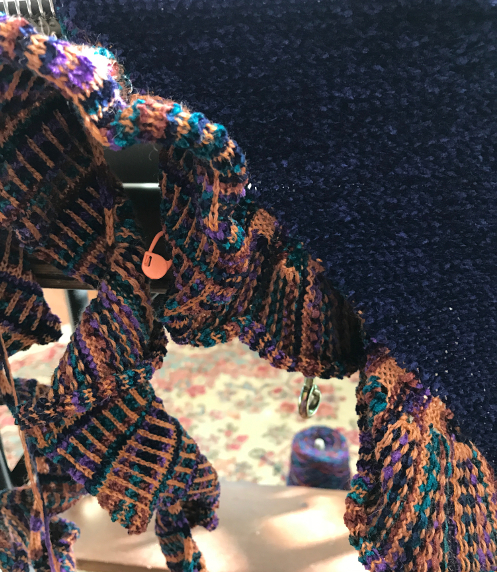
 the “finished” ruffle; HK markers every 20 repeats to help track rows knit and being joined on with “seam as you knit” technique
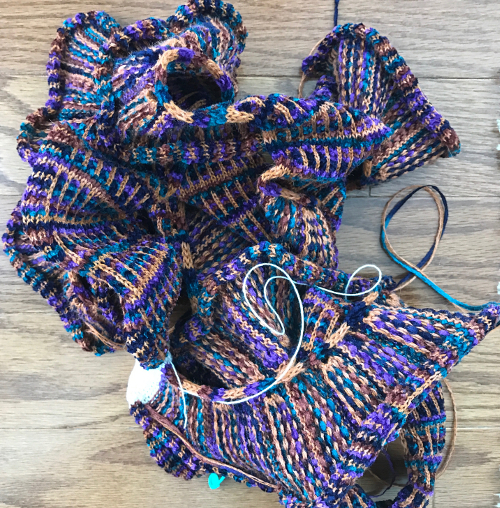
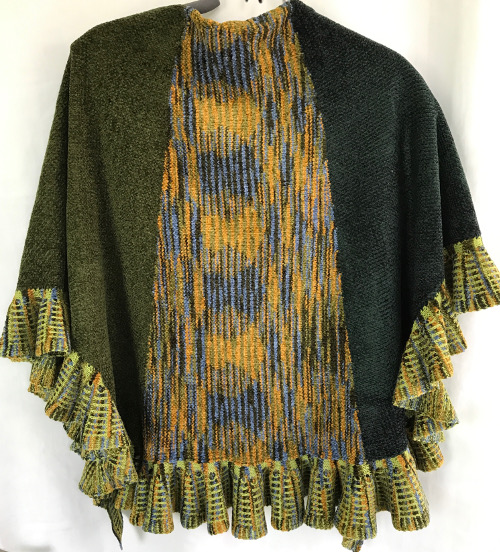
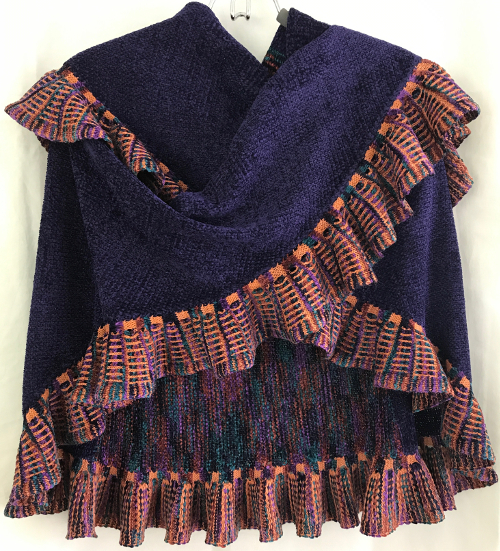
the finished shawl after a successful truce with  my color changer 
going green the series grows 
Knitting in pattern with 2 carriages, Brother punchcard KMs 1

I touched on knitting with 2 carriages in some previous posts:
2011/03/30/knitting-with-2-carriages/
2011/03/29/lace-meets-hold-and-goes-round/
2015/03/31/combining-tuck-stitches-with-lace-2-automating-them/

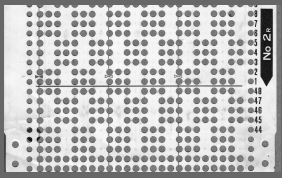
If 2 carriages are in use for patterning extension rails are a must. For this discussion we are excluding the lace carriage as the #2, the intent is to use 2 knit carriages with each set to desired cam functions. As one carriage is put to rest and the other one is set to move from the opposite side, the card does not advance, so the last row selected is repeated one more time. In one of those lightbulb moments today (any excuse not to do laundry) it occurred to me that starting out with an odd number repeat pre-punched card, coming from the opposite direction at the end of each odd row repeat, an even-numbered repeat would actually be knit. The card below is a Brother issue with all standard knitting machines. Card number (2 in this instance) may vary, depending on the year of purchase. Color changes here as well would have to be planned for every even number of rows, so respective carriages can travel to and from each side.

punchcard

The swatch below begins with locked selection row on punchcard row marked #1 (standard location); tuck setting is used in first 2 segments, FI on third; pattern produced is “OK”, but not actually tucking for 4 consecutive rows; note how much narrower FI is than tuck. Tuck tends to be short and fat, slip and fair isle short and skinny when compared to plain knit in same yarns 500_326

500_327

Since Brother preselects for the next row of knitting, setting the first selection row one locked below the usual spot on in this case #48 got me what I wanted, each color now tucking for 4 rows
500_325

500_324

Then something a bit more exciting occurred to me; one is an odd number, so any card where single rows are punched could be executed in theory, changing color every 2 rows (remembering to start with first selection row one row below # 1-row mark on the card). This sample was knit with 2 carriages, using a maze card, illustrated in a previous post, in which each row had been punched only one time, requiring for the repeat to be elongated X2 500_319500_320
the image from the previous postgrey_slip

Using 2 carriages allows for combining yarns using different tensions, cam settings, fiber content, or sometimes using materials that the single bed color changer is not “friendly” with. Also, there is no pushing the wrong button, causing errors in sequence, or dropped knitting if no yarn is picked up.

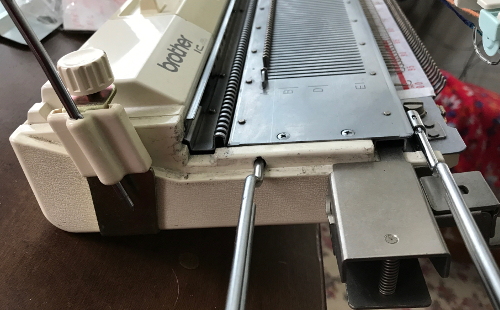
A punchcard carriage may be used on electronic machines. I work on a KH892, and a 910. The 910 is from a much earlier model year than the punchcard machine. The back rail for the KH to travel on, is a different shape, with slits as opposed to smooth, and a bit more raised. The electronic carriage set on KC locks on the belt and advances the card appropriately, but the fit is quite snug, making it hard to push, while the 892 behaved well on the 910. If borrowing carriages and sinker plates from different model years or one type of machine to use on another, proceed with caution and listen to your machine. Sometimes the span of time between model issues is irrelevant, even if model years are only a year apart, and the swap is not the best for successful knitting, may “work” in one direction, but not as well in the other.

sample back rails: 910 910892rail2

 Dec 7, 2018 Knitting studio simple lace with 2 lace carriages transferring stitches 


More slip stitch experiments

Slip-stitch fabrics are capable of creating interesting textures. When blocks of stitches are slipped, the floats that may appear on the purl side are considered problematic by some knitters. One solution is to work using mosaic and maze “floatless FI” designs. This was addressed in previous posts, including color separation methods for planning them, and a variety of knit swatches.
The images below have often appeared in knitting boards on Pinterest, I am returning to the slipstitch design thread.

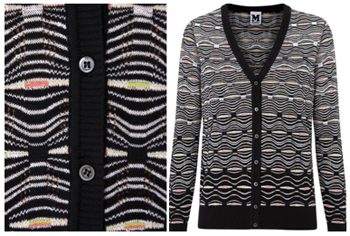
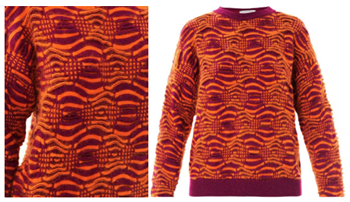
A Missoni  knit  missoni comboSportmax Armida sweater   lyst combo

I decided to plan a “square/block” shape to sort out the technique; it could easily be adapted to a diamond one. By necessity, larger repeats need to be executed on an electronic machine whether via mylar or download program. The plan is to change colors by any means available, usually, every 2 or every 4 rows, requiring a motif repeat that totals an even number of rows. In hand-knitting garter stitches can become part of the resulting texture, but they are impractical here. Often commercial knits are produced on machines that can automate many more functions and surfaces per row. The Missoni sweater is a fine knit, and on a detailed examination, reveals lace eyelets in some of the stripes in addition to plain knit and slipped stitches. Not impossible to do on a standard KM “home” electronic, but the simplest way to add lace eyelets would be via hand transfers.

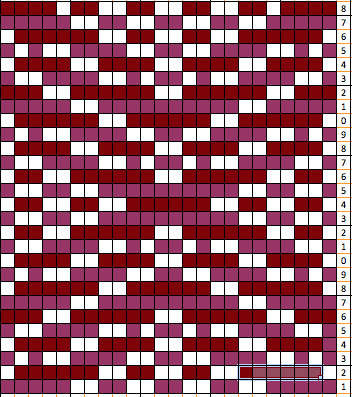
my starting chart

repeat start

 checking that that repeats line up

multiple repeats

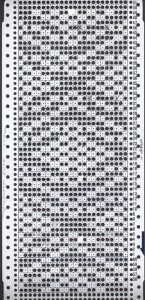
possible mylar repeats

mylar repeats

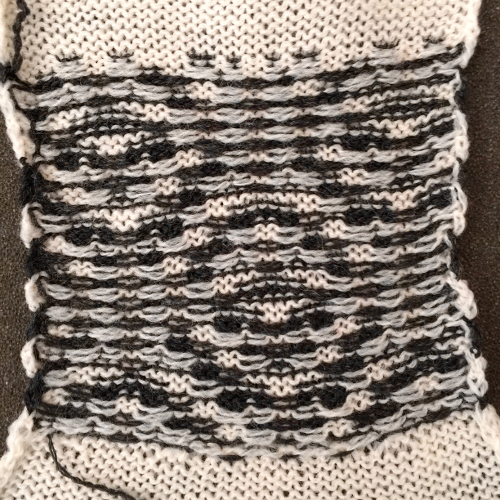
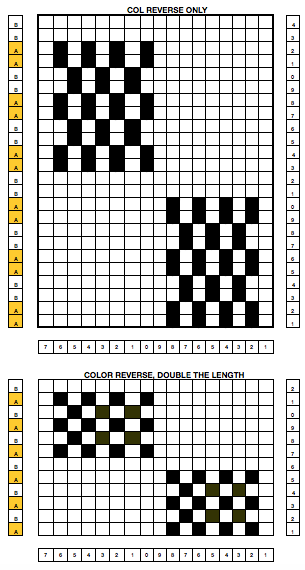
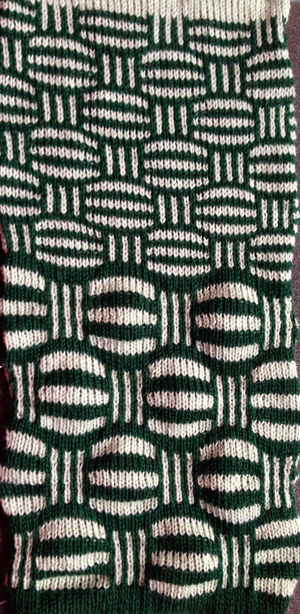
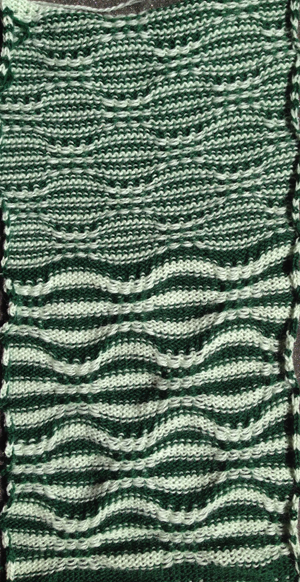
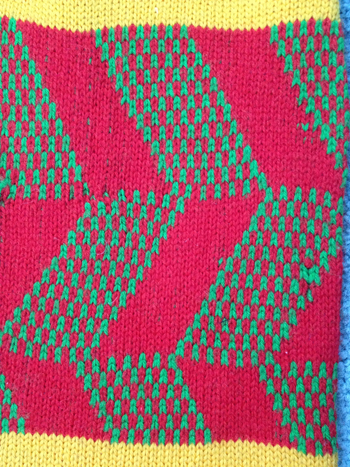
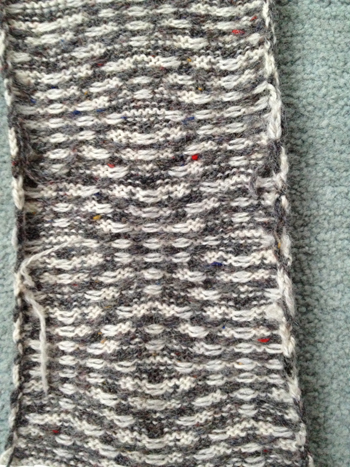
I drew the top repeat above onto mylar for use on a 910. The sample swatch was knit using 2 carriages (and lace extension rails). I selected R 1 from right to left, with the carriage that was to remain on that side, and began knitting with the second carriage, placed on the right, holding the alternate color. There are a few ways to achieve the pre-selection row, depending on the choice of start to the fabric, and whether a color changer as opposed to a second carriage is in use.  Contrasting colors help us see and understand stitch formation. For the bottom of the swatch I used double length as well as color reverse, with color (carriage) changes every 4 rows. The top of the swatch is knit with color changes every 2 rows. Slip-stitch is short and thin. Since there are more stitches slipped on the bottom of the swatch, the fabric is pulled in in those areas, making the knit on either side “bubble” in a way that the top of the swatch, do not, and resulting shapes no longer appear as straight lines horizontally.

striped slip ksidepurl side

striped slip p side

The single-width blocks that form the stitch pattern are usable for tuck knitting as well. Whether the motif may be elongated on standard machines depends on the yarn thickness used. Tuck-stitch fabric tends to be short and wide so that the finished knit piece will be wider than the slip-stitch version.

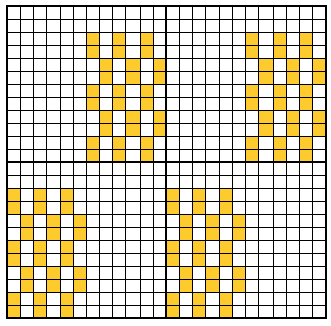
Taking this shape to a punchcard requires editing, and the results are quite different. One sample idea, moving stitch groups around to fit a 24-stitch repeat:

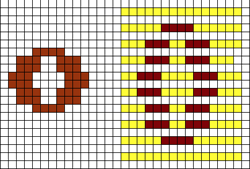
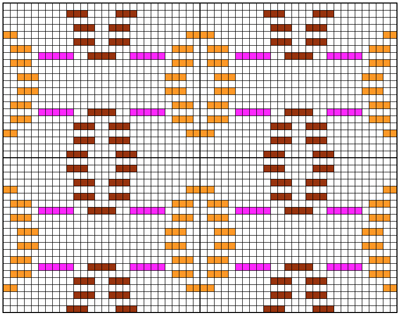
punchcard repeatAll the white squares would need to be punched to form knit stitches, the yellow left unpunched, to form the slipped ones, the look of the fabric would be very different.

Previous blog posts on related topics: tuck and slip color striping, block stitch color separations, where the term block stitch is used based on publications that refer to floating, staggered designs rather than to square shapes.

As for creating “solid” block shapes: an initial repeat is charted below, 16 W X 24 H. Black blocks are drawn on mylar or downloaded, is used color reversed with no elongation. Knitting starts with base rows knit in the color that will form the “block” on the knit side of the finished fabric

block shape

the knit side

block_front

and the purl, note floats as wide as the “block”

block_back

Block slip stitch separations

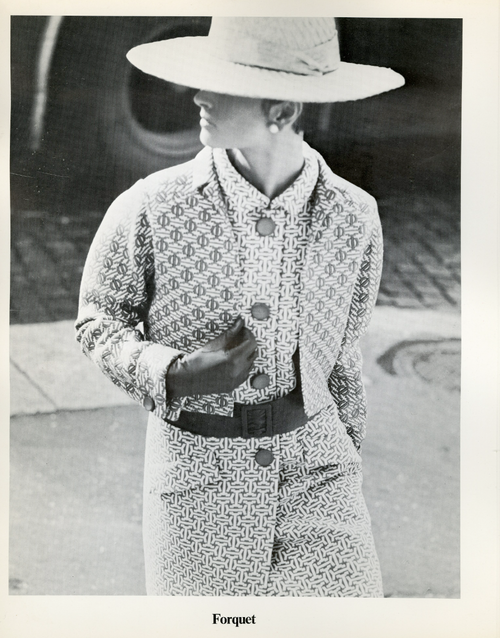
“Pinning” has become part of my daily routine. This image was pinned by someone else, and brought back memories of my block stitch scarves, along with the temptation for working out a new repeat, similar to that seen on the top of this jacket credited to Forquet.

The term block stitch is one used in published references with instructions for related stitch variations.
Following are some ideas for developing designs for these fabrics, the basic principles work for both punchcards and electronics. Using the motif in a punchcard will make the striping surrounding it fixed, and involves a lot of punching holes. On a mylar or in a download the width of the ground behind the shape can be easily changed, and only the non-selecting, “empty ” squares need to be drawn or entered into a program that is capable of color reverse. One needs to be mindful of the size of the overall repeat when faced with so much “blank space”.

Until one sorts out what happens with the stitches, and where the colors are placed during knitting, it is a good idea to start with a simple shape.

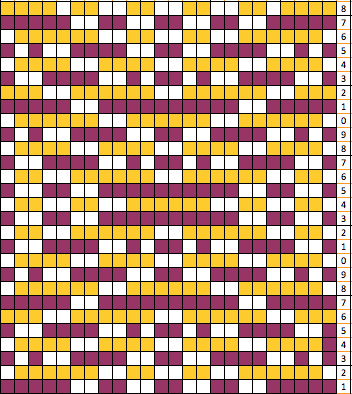
I use Excel as my “graph” paper when I want to easily play with color on a grid. Below is a simple motif as a design start, besides it is an expanded graph leaving every other row blank. Some books suggest erasing horizontal EOR stripes, I prefer the visual cues in the method below. The yellow marks the rows on which the motif will be created.

There are a number of ways to go on from this point. Layering the repeat on a colored ground can give a sense of the resulting shape, help plan the type of overall pattern repeat, and ensure that enough rows are allowed to travel to and from the color changer. For sampling I prefer to work on an electronic machine, using the elongation feature and color reverse to minimize drawing in lots of black squares. The grid on the left shows the split motif layered over a striped ground. In the center grid, the motif separation color becomes white/ blank, color one (yellow) is different than on the left simply to allow the white to become more visible.
I use 2 carriages as opposed to the color changer when knitting these fabrics, so the L and R row markings help ensure that indeed there are enough rows in the repeat for both carriages to travel to and from each side, with stripes lining up where required.
The blank squares represent slipped stitches, and they normally are left blank whether, in a card, mylar, or program, all other colored squares are knit stitches, corresponding to punched holes, and black squares on mylar. On the far right is all that is required to be filled in with a mylar sheet or program capable of lengthening X2 and color reverse. The marks are actually the same as the expanded motif first shown above. For a punchcard, the same motif on the far right could be drawn this way centered, and every other square surrounding the now black lines would need to become a punched hole.

Looking at the graph: color 2 will slip in locations where needles are not selected (white squares). The stitches on non-selected needles get longer in the front of the fabric, the alternate color floats behind them. The next color change will knit the held stitches off, so the motif color in the above design will actually be “green” in the final fabric. Because the colors on either side of the motif are actually knitting every stitch and every row, there will be some distortion in striping around the motif, and potentially even some “bubbling” in those areas

The next choice becomes sorting out how far apart to place motifs from each other, and in what distribution on the resulting fabric. Both are subject to personal preference and taste. Below is only one of many such possible layouts.

if elongation is not possible or to be avoided, then the option below shows a possible repeat, including a “punchcard” 24-stitch version. Where color reverse is not an option, all but the white squares must be marked/ programmed, and in the case of a punchcard, all but the white squares would need to be punched

It is also possible to offset/ shift the color of motifs themselves so they would alternate colors between the 2 striping colors as well

The following chart illustrates the idea: the magenta stripes are not part of the repeat; they are markers to show where the slip stitches for the alternate color need to occur in the repeats

As for the motif that started this thread, below is the test swatch so far, obviously in a different gauge and repeat, but in the same spirit. There is a long float on the back/purl side spanning 8 stitches. If the goal is to produce an unlined item, this could pose a problem in wearing it. Hooking up the floats may be too time-consuming in production; an added stitch in the non-motif color (see marked dots) on either side of the central bar may solve the problem, but alter the design. There are lots more factors to consider and play with in test knitting. The yarn colors in these swatches are chosen for throw-away tests, not for any type of final item.

more swatches using both old and new repeats

The final, new scarf fabric: knit on Passap, every needle rib, Tencel, and “Nomi Lee”.

The top and bottom edgings are to be worked out; the fabric is soft, drapes well, and has no side curl.

Mosaics and mazes: machine knits_ from design to pattern

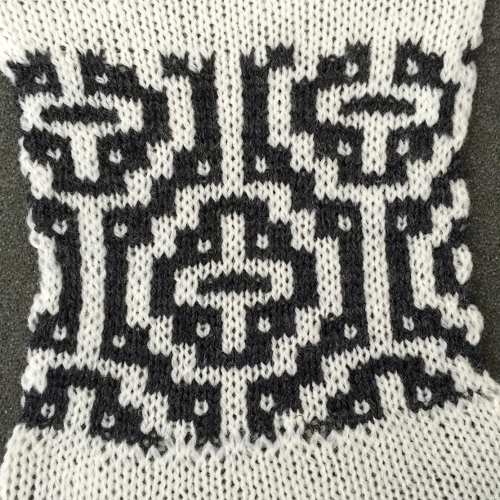
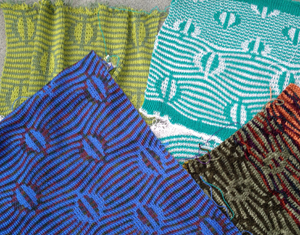
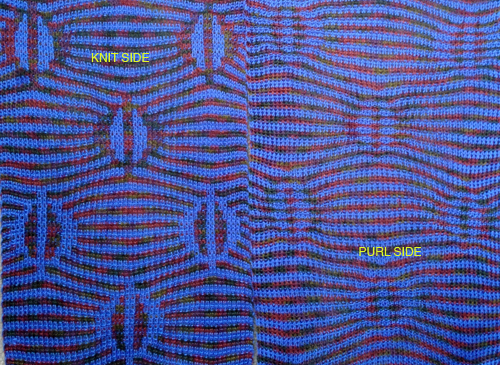
Maze patterns have long vertical and horizontal lines broken by regular gaps and the pattern lines change course from the vertical to horizontal, and vice versa. Maze cards can be identified by completely punched sections, some alternating with every other square marked for two rows, usually geometrically shaped. Areas of stocking stitch produce horizontal colored stripes, and alternating pattern stitches that slip or tuck cause the vertical stripes, which are sometimes pulled nearly diagonal by the influence of tuck or slip. The fabric will be unbalanced because the number of needles slipping or tucking will not be the same on every row. Odd rows form 2 color horizontal stripes, even rows vertical stripes, with color changes occurring every 2 rows.

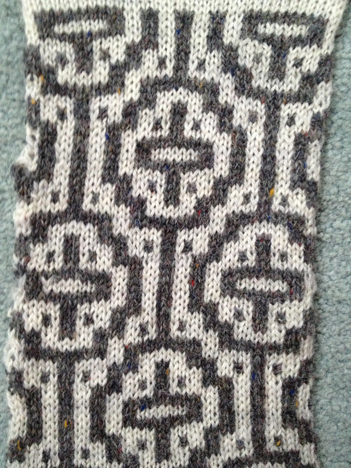
Mosaics have a brick arrangement (tessellae), with clear perimeters and cores, and stepped diagonals (frets) that are partially formed bricks, their positive and negative spaces are created by the use of contrasting colors. The stripe sequence is not as obvious. The punchcard looks even less like the original design.

In single bed work, the reverse of the fabric will show the original design in the texture of its slip or tuck stitches. There usually will be no floats longer than one or two stitches.

The knit side may look like a fair isle but the back lacks the usual long floats, hence the name “float-less fair isle”

The row gauge is compressed. Tuck fabrics are short and fat, slip ones tend to be short and thin. Some patterns elongate in washing. The tension used is usually one number higher or more than that used for stocking stitch for slip patterns to reduce their narrowing, tuck patterns may also have to be adjusted to suit. Smooth yarns in contrasting colors are the easiest to establish and test the pattern, then the choices can be far more personal.

Designing your own: traditional “rules”

  1. if scale matters consider that the height of 2 rows may equal the width of one stitch
  2. start small, let each square on your graph whether on graph paper, in a design program or spreadsheet/vector program cell equal one stitch, each line on the graph represents 2 rows of knitting, when knitting the pattern double-length specific to KM may be used. The unfilled squares represent the lighter color/color1, the colored squares represent the dark/color2
  3. no more than one stitch to tuck, two to slip at a time
  4. row 1 and all odd-numbered rows (most stitches knit) can have any number of squares marked, the slipped (tuck, or slip/part tuck in alternating directions) are represented by blank grids (no more than 2 side by side for slip, single for tuck), they are generally knit in the lighter color/color1
  5. even-numbered rows must have single squares marked, they are generally knit in the darker color/color 2, there should be no more than 2 “light squares”/ unpunched holes side by side, the slipped (tuck or part/slip tuck in alternating directions) are represented by marked grids
  6. vertical lines must begin and end on odd-numbered rows
  7. vertical lines must always consist of an odd number of rows in total
  8. the finished design must be an even number of rows to allow for traveling back and forth to the color changer for picking up and carrying the subsequent color
  9. if the design is not to be elongated check to see that every light square to be worked in the dark color is present in the row below, that every dark square in the row to be worked in the light color is also present in the row below

Susanna’s chapter on mosaics has information on fabrics where “rules” get broken. Changing the order of the colors or introducing a third color may yield pleasant surprises. Knitting is started on a non-patterning row with first-row selection toward the color changer in Japanese machines. If you have a machine that preselects needles: color must always change when the needle selection changes. Four movements of the carriage are required to produce two rows of knitting.

One approach with a design that breaks rules:

masking alternate rows and “separating them”: odd rows knitting in color 1

dark squares get punched out/ drawn, light ones tuck or slip depending on cam settings

color 2 knitting even rows:

light squares are punched out/drawn and will knit, dark squares ones tuck or slip depending on cam settings

colored areas below are those to be punched overall

I used Excel to eliminate yellow fill on odd rows, darker fill on even. Many articles on this subject date back to graph paper, pencil, and eraser days. Quick color fills including empty make the process quicker with software. Still finding the image above confusing, it may be easier to decide what to draw on the card/mylar if all areas to be punched are dark, blank squares can then be more easily identified and marked, punching everything else or coloring them in and using color reverse if your machine has that ability. In the image below the lighter color is replaced by a darker one

the resulting card, which needs to be elongated X2

The swatches were knit using both the slip and tuck settings (also breaking the usual rule). Some of the tuck rows have a bit of color scrambling likely due to the amount of side by side tuck loops in the repeat not knitting off properly in those spots

slip stitch front

the back

tuck front shows the repeating trouble spots

tuck back

point grids for developing designs are of 2 types

in turn, the pattern may be drawn over them

staggered units may require some cleanup and “erasing”, as represented by pink squares

when the shape is what one desires, color separation follows as for the design at beginning of the post

Susanna Lewis at one time did publish a technique that could be entered in the E6000 that essentially did the separation; wincrea does not presently download techniques, there are other programs that can, and/or a combination of card reader sheet and computer download may be used, but that is for another day.

Mosaics and mazes from “FI” “universal” patterns

Many punchcards that obey the usual restrictions for tuck, in particular, may be used to create “random” mazes and mosaics, with color changes happening every two rows. Test swatches will show differences in surface texture, patterning, width, and height of the knit. It is useful to use clearly contrasting colors to study how the structure of the fabric is affected by different techniques. This test series explores the quality of the stitches created, along with using different knit carriage cam settings, although this repeat does not produce designs typical of either mosaics or mazes.
The swatches were knit during a class demo, for easy visibility, not as studies for finished garments or accessories. They were produced on Brother punchcard KM, using a single bed color changer. Electronic KMs advance a row for each pass of the carriage regardless of its beginning position/side. As noted in later blog post shares, such fabrics are produced more quickly and easily if an electronic is available with  2 compatible carriages for use.
Yet another single color variation, missing here, would be to use opposing buttons for tuck/slip.
The first preselection row is toward the color changer.  The FI pattern front with a bit of bleed-through where floats were hung up on the purl side

tuck 1 color slip 1 color  tuck 2 colors slip 2 colors  last but not least, slip stitch adding a third color front, still changing colors every 2 rows
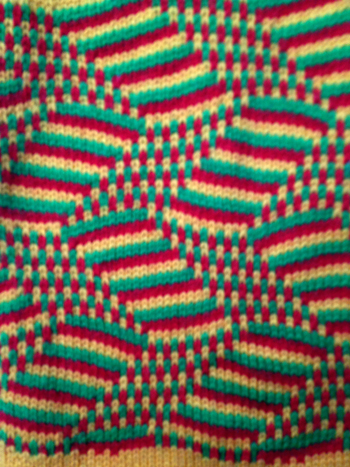
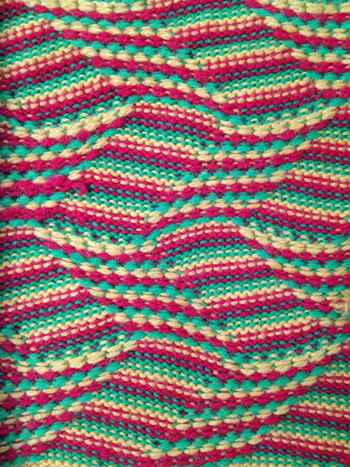
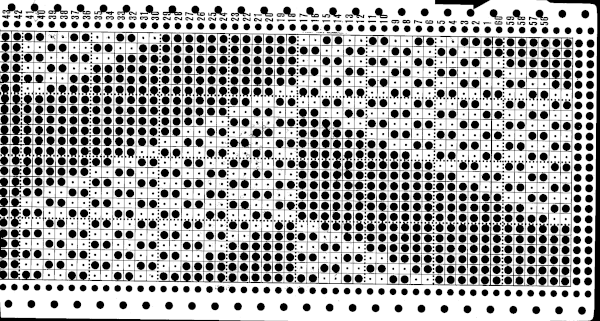
This is a factory punchcard design, a smaller repeat. The repeat enlarged and punched for use in the pictured samples
Knitting with 2 carriages

Recently there has been a lot of press about a particular personality using 2 carriages in her knitting. This is not a new idea. Some points to ponder: if color changing is required there many ways to deal with it, beginning with doing it manually and devising a yarn holder of sorts to slip into space where the needle retainer bar sits. Then there are color changers, an absolute necessity in double bed work for DBJ. Not all machine models have changers that will work on both beds, Brother happens to be one that does not. Though Passap Autocolor will change colors automatically, the Brother single bed one is operated by one’s fingers pushing buttons, is a bit fussy, and it is really good not to hit an empty holder and go across with “no yarn”, since the object is usually not to have knitting fall off and onto floor.
Extra KH carriages are a bigger expense than color changers. Many production knitters have backups for their machine models. It is obviously best if both carriages are the same model year. Sometimes sequential model ones may be used, and all that may be required is a sinker plate adjustment, other times the carriages are incompatible with the new knitting beds though changes may appear to be small ones to the eye.
Unless I specify otherwise, my comments usually pertain to Brother KMs.
Aside from the fact that punchcard models have no power source, the pattern rotation is also different and that needs to be taken into consideration when punching holes in the card. Electronic machines advance a design row for each carriage pass on each side. Punchcard models do not.
In knitting stripes, the second carriage may house a thinner or thicker yarn, same yarn at a different tension, or hold the alternate color for frequent color changes.  It may also be used with different cam settings than the other ie one for fair isle, the other for weaving or tuck, etc.
If combining stitch types a clear understanding of how punchcard holes and mylar or computer interface “squares” relate to needle selection and fabric formation is helpful and boils down to planning selection for needles one actually wants knitting. Patterning sequences must happen so each carriage makes an even number of passes, and returns home to its “side” for “automatic” use. Lace extension rails must be used and the alternate carriage is off the needle bed to avoid belt breakage.

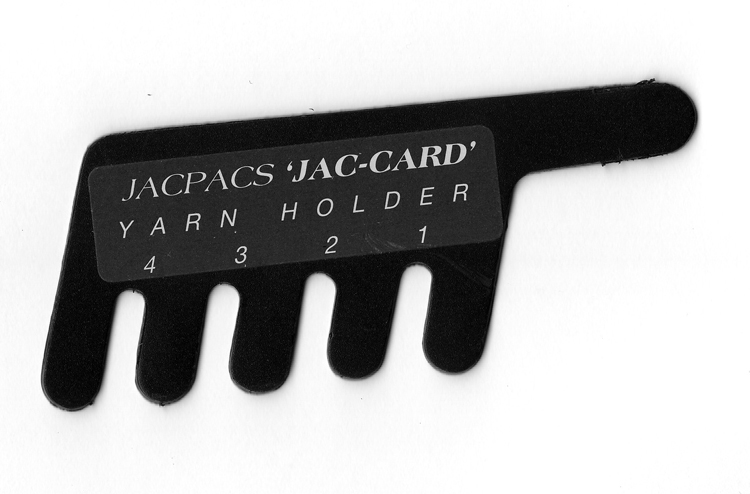
The image below is a lo-tech “color changer” marketed decades ago. Old credit cards can be used for a DIY version.