A bit on ribbers: Japanese KMs, alignment, and symbols 1

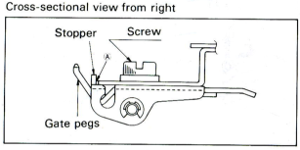
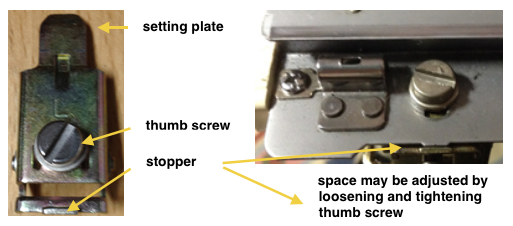
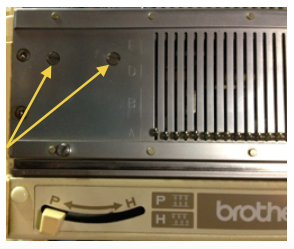
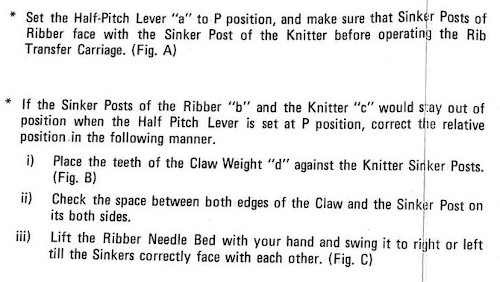
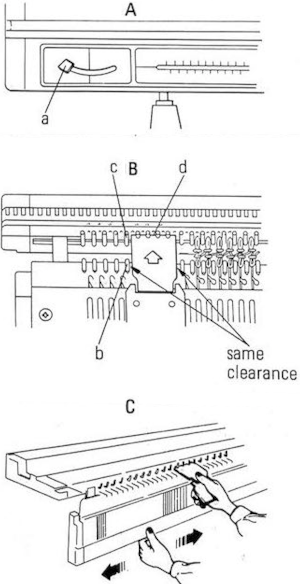
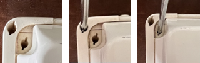
Before approaching the use of ribbers in relation to cables, I thought I would mention a bit on alignment. An online source reviewing the topic with downloadable PDF: http://machineknittingetc.com/brother-kr120-kr710-kr830-kr850-kr230-kr260-service-manual.html. Studio machines’ how-to may be found on a YouTube video by Roberta Rose Kelley. Before making any adjustments, check that the clamps that hold the ribber in place are flush with the table and securely clamped; that the screws in the setting plate are not loose, and that they, in turn, are installed at the same depth.  As adjustments are being made, and the thumbscrew is tightened, the setting plate may actually slide toward the main bed, narrowing the gap. To prevent that from happening, I had to use a metal spacer between the stopper and the main bed.

Make any adjustments based on the needles at each end. Ribbers tend to bow in the center with wear and age. To check how needles in both beds line up in relationship to each other: with the racking lever on 5, the pitch lever on P, pull forward at least 10 needles on each end of both the main bed and the ribber, they should line up point to point. If any of the needles do not touch or line up, loosen the 2 screws to the left end of the ribber just a bit (a quarter turn is usually enough), tap the end of the ribber with your hand just enough to the right, or left to line up needle positions. Recheck the alignment on several spots across both beds, tighten screws, and check again.

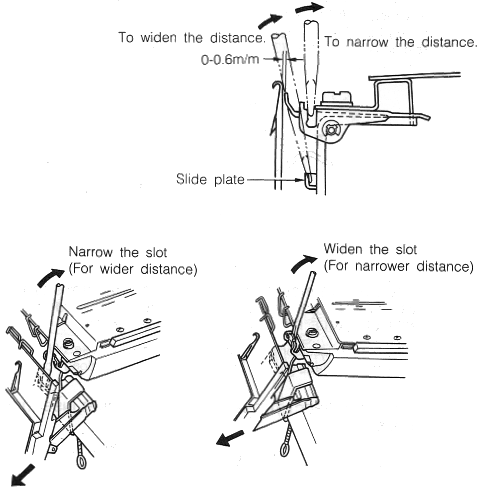
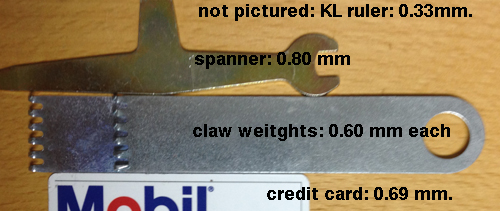
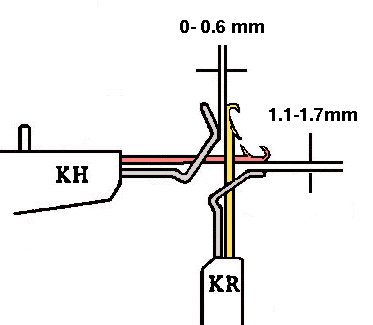
Another visual option for checking alignment is offered by Studio machines in their manual for the RT1 transfer carriage.   To check the height of the ribber: pitch lever on H, bring it to the full up position (Brother has 2 up positions), and bring forward at least 10 needles at each end of the main bed. Use spacers, ie, a credit card, or claw weight hangers that came with ribber as measuring aides; they should slip easily between main bed needles and ribber gate pegs. The recommended distance between the back of the KR needles and the KH gate pegs is 0-0.6 mm.

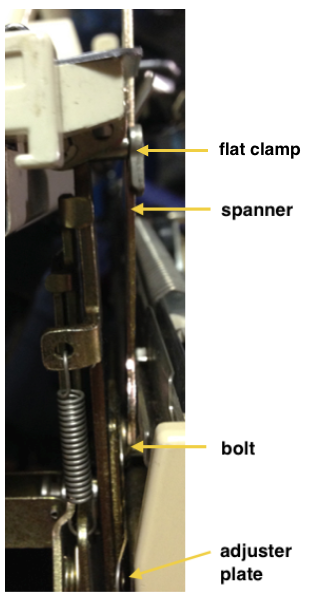
The online PDF has additional photographs of the nut that needs to be loosened in order to change the height. To loosen it, the ribber needs to be brought to its down position. Use the spacer tool, start with a quarter turn, to begin with (lefty loosey, righty tighty). Lift the ribber into place. By moving the thin metal lever (adjuster plate) up and down, the height may be adjusted, one side at a time. Bring the ribber down to tighten the bolt, up again for a final check.

Lastly, with the main bed needles out of work, bring groups of ribber needles out to E. A single claw weight should slip behind the ribber needles and in front of the main bed gate pegs. Repeat adjustments if needed so the space between the beds is as equal as possible. The space between the bottom of the main bed and the top of the ribber gate pegs should be between 1.1 and 1.7 mm.

To adjust the distance between the 2 beds: bring at least 10 needles out at each end of the ribber. Use the spanner to loosen the thumbscrews, and a screwdriver to loosen the flat clamps.

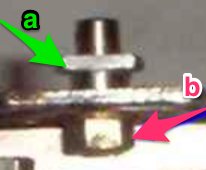
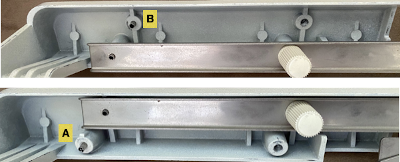
If the nut should become completely loose for any reason, the part in question, I believe, is #24 in the service manual, the “slide plate guide stud”. In the image below b= the bolt that became completely loose on one of my brackets. I discovered after getting things back together that a, which secures the ribber bracket, is actually directional with a barely perceptible change/ difference in shape. If it is accidentally rotated 180, it will keep the ribber bracket from changing height positions and working properly. Rotating it restored expected actions for me. 

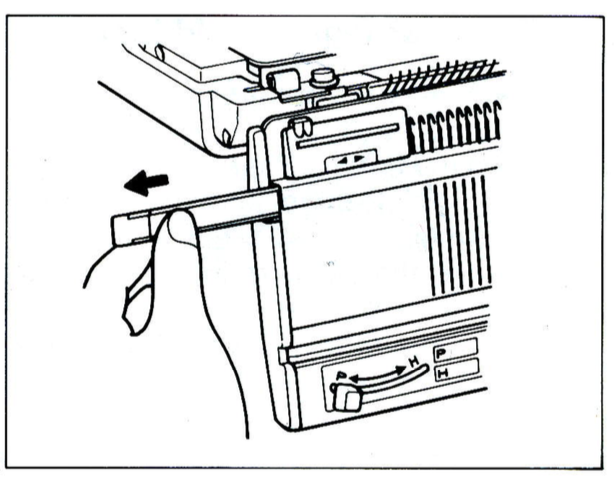
Yarn thickness and needle arrangements may also require some tweaking of height and other adjustments. Listening for changes in machine sounds as the fabric is knit, and visual checks over time, are a great help in avoiding problems. Here are the positions for the bracket lever as indicated in the service manual

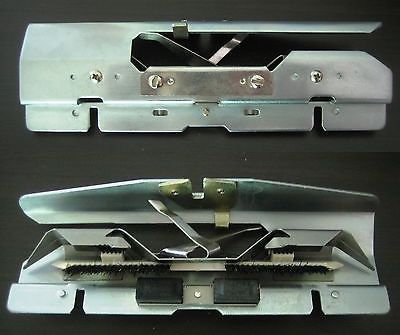
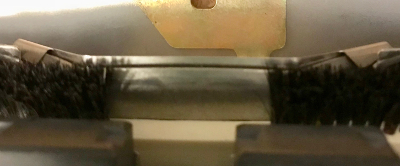
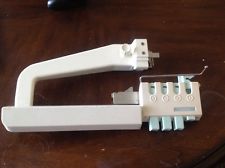
A reminder: if the needle presser bar on the ribber (all plastic) is to be removed, it is reinserted back in with ridges facing, and flat side down. I have several sinker plates. An accessory that began to appear with ribbers at some point, seen here in this illustration:

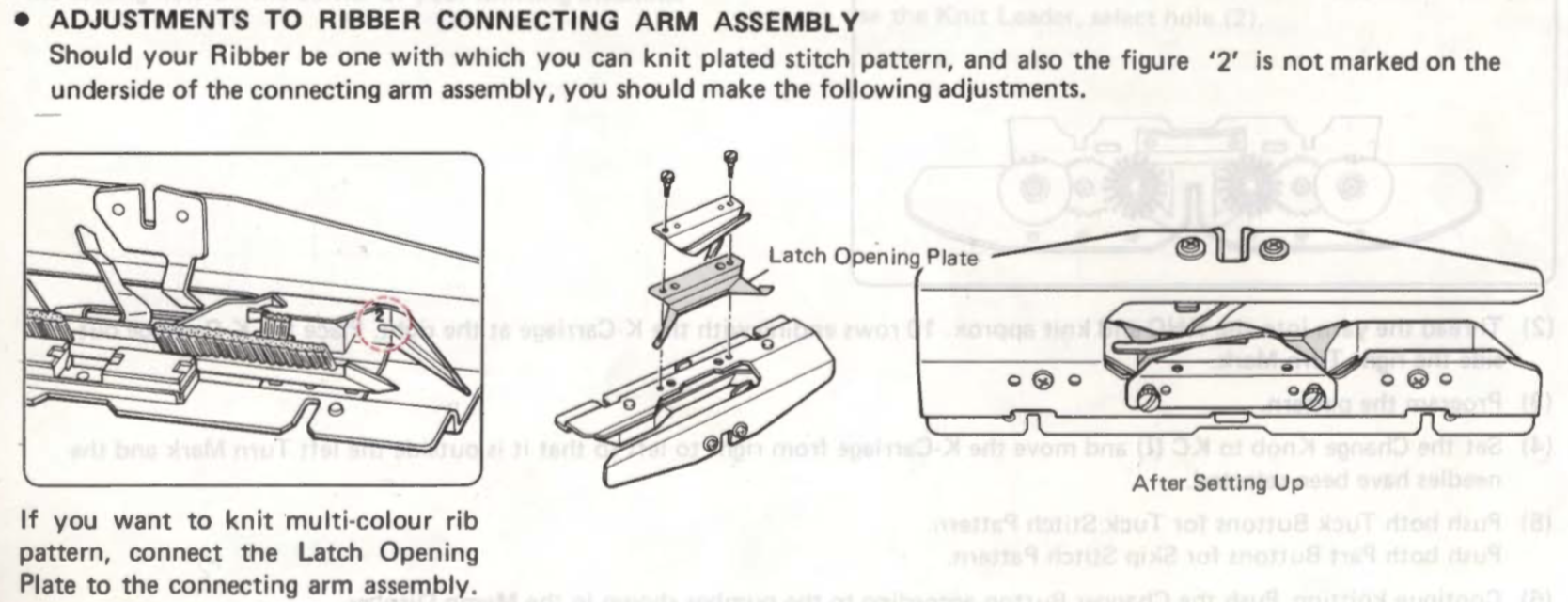
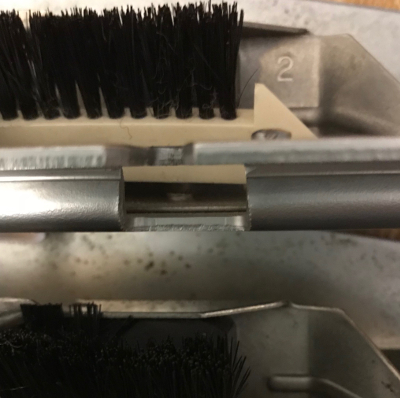
Below is a close-up showing markings on the right side of upturned connecting arms in 2 different model year ribbers, 
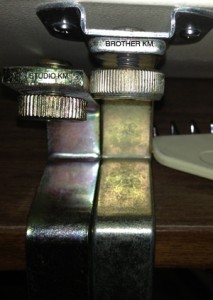
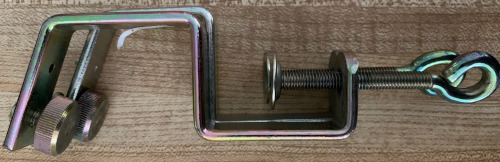
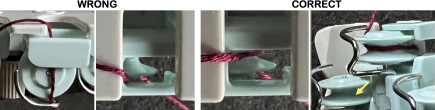
and here the latch opening plate has been secured into place in the connecting arm without the #2 marking, where it makes a noticeable change, bringing the unit closer to needles when on the machine during knitting.  The Brother 830 ribber arm was different from that in later models.    The diagram on threading yarn into it from its manual The Speaking of ribbers and clamps, not all clamps are created equal though they may appear to be doing their job until some attachments cause problems.
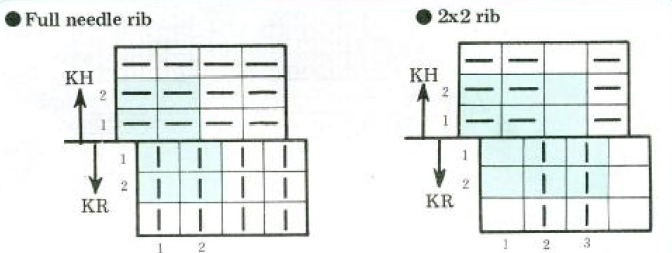
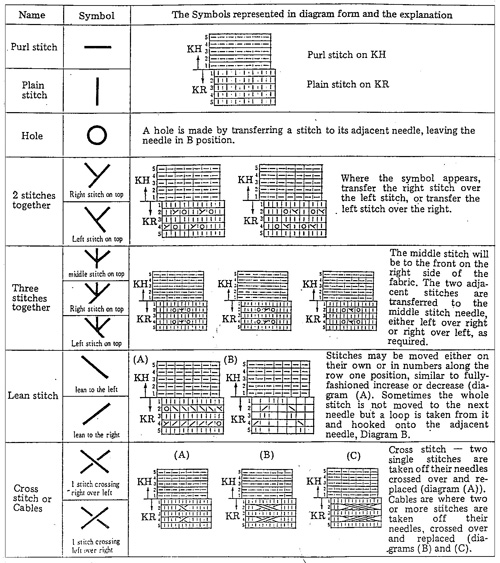
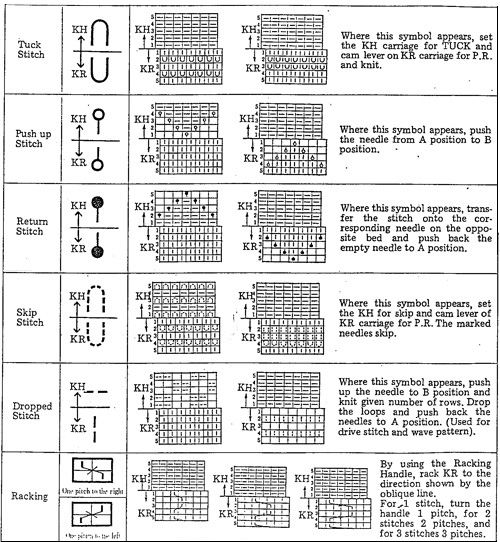
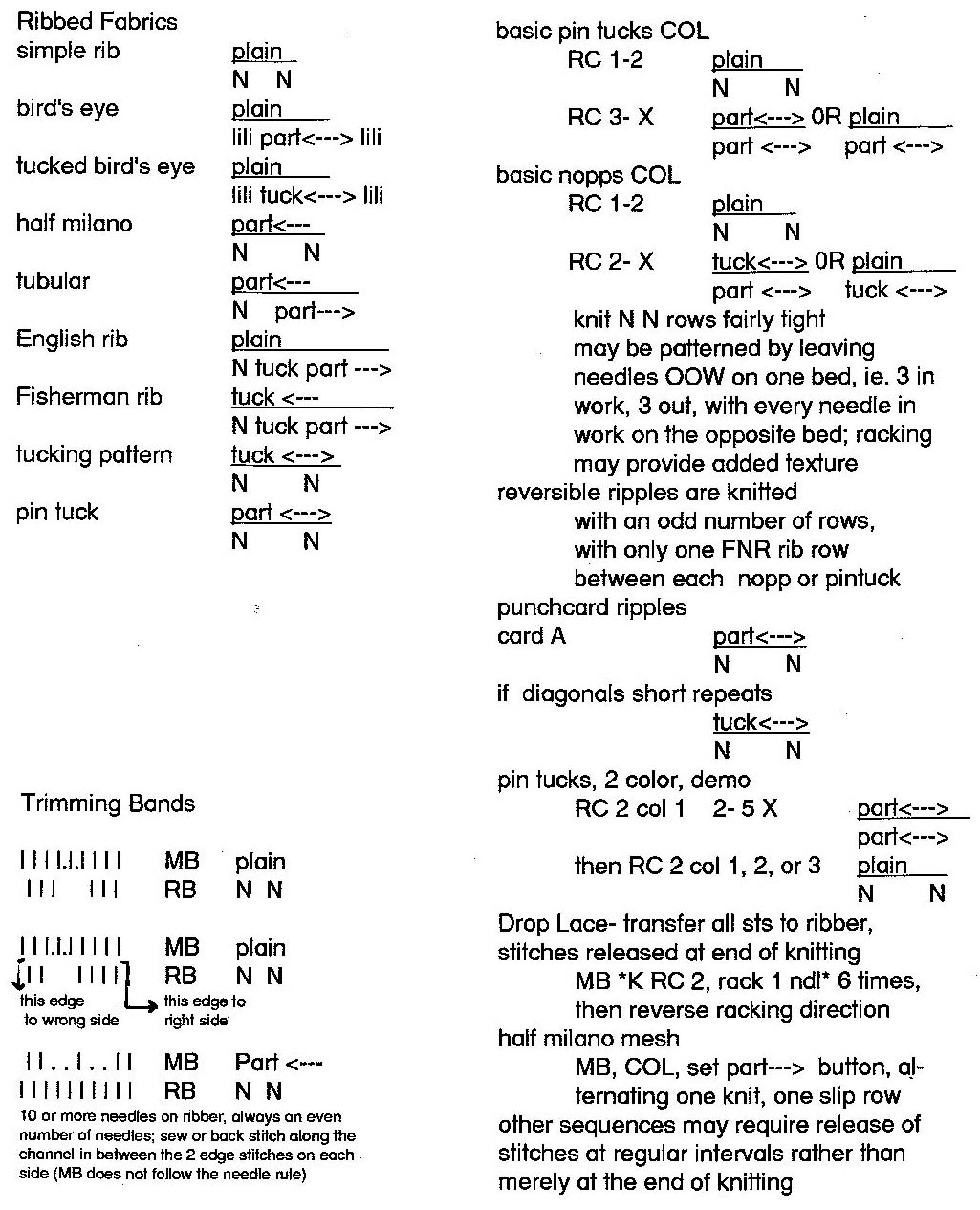
Studio (shorter) vs Brother in place Brother bulky on top of the standard clamp, its shorter cousin Knitting symbols used for the ribbing attachment show what the stitches would look like on the “wrong” side of the knit. In the Brother system, KR refers to the ribber bed, KH  to the knit one: typical illustration of symbols as found in Brother punchcard pattern and technique books:

rib set up

ribber_5

ribber_4

A brother publication on Japanese symbols for knitting available in English, French, and German, may be downloaded from http://machineknittingetc.com/japanese-symbols-for-knitting-machine.html  ; page 15 is missing from the document. Another resource: http://tata-tatao.to/knit/japanese/e-index.html


Creating knit graph paper on Mac, using Excel and Numbers

Working in Excel 2008 and Mac Numbers 3.2, edits added 2022, 2024 

My blog is a living document. I tend to keep old posts as they were originally written, which can help reflect the evolution in the resources from those available at the time and my changing and at times growing skill in using them.
There have been many interim posts on using Numbers in knit design, whether as a stand-alone or in conjunction with other programs ie Gimp.
At times I revisit topics as separate posts, or I correct or expand the information in ones previously published, true here, at the bottom of the post.
2014
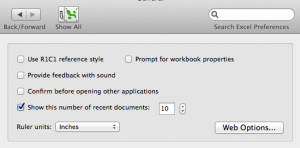
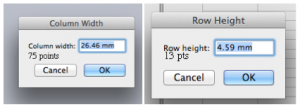
On a worksheet, columns are usually standardized to accommodate approximately 9 font characters. Width and height are measured in points and units such as inches or centimeters: 1 point equals approximately 1/72 inch or 0.035 cm. The default row height is app. 13 points. In developing knitting charts smaller units of measurement are preferred. Preferences (general) may be changed from the default (inches) to cm, or the smaller unit mm, and saving.
Online conversion between units of measurement and PostScript points may be calculated (if needed) using calculators ie.
http://www.unitconversion.org/unit_converter/typography.htmldefault cell measurements in mm and points When opening an Excel document, to view only one page: on the bar at the top of your spreadsheet click the View menu and then in turn choose the Customize Toolbars and Menus. The window below will appear, click on the commands tab. Scroll down to “Zoom to One Page” on the list, “click and drag” it to your toolbar, releasing your mouse button to place it using the vertical line that appears as your guide to determine its placement.
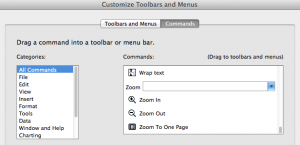
the chart toolbar with the icon (to the right of the red line, click on the image for magnification)on the standard toolbar

If the chart toolbar is in use, left-click on the arrow at the right, where Customize toolbars and menu are the second option offered; a right-click will allow you to modify toolbars as a first choice and offer the commands as an option.
Clicking on the icon now in the toolbar will show one worksheet, and adjustments may be made as follows for producing your graph paper or knit chart, clicking again will show multiple sheets once more.
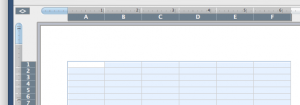
Click on the diamond upper left-hand corner to select the whole sheet, now that the whole sheet is selected apply your unit choice to the whole document: place your mouse on and hold it between the cells indicated by any 2 of the letters (separator will appear), drag the boundary on the right side to define the desired width, repeat the process between any 2 numbered rows to define the height. The format menu may also be used; first, select the whole sheet, then on the home tab, click on format, and select format row height or format column width alternately to specify desired measurements The latter method may give better control over unit specs in some instances.
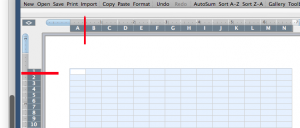
If the intent is to use the program as virtual graph paper on which to add color, symbols, etc one may continue editing,  and working with borders and border drawing options line thickness most suitable for printing may be selected, along with types of lines and colors. Common ratios for knitting are 4:5, and 2:3 (height to width) with stitches being usually wider than tall. Single-page workbooks to start your chart editing created in Excel to save for printing were deleted in 2024 because of failure to open in usable form in Windows 10 OS. A 2024 PDF for developing a punchcard repeat on a rectangular 4:5 grid punchcard red lines
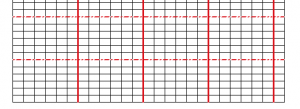
Since this post was first written I have moved away from using Excel completely to working with Mac Numbers.
If the goal is to have graph paper that approximates stitch and row gauge, that is achievable by using Numbers with the rulers set to centimeters.
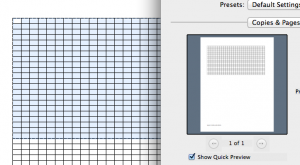
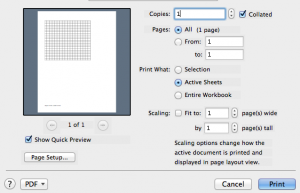
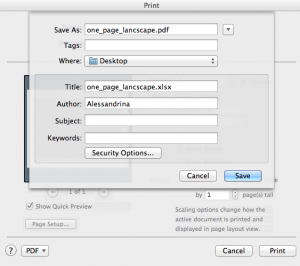
Selecting the initial document for printing by using the select all command in a variety of ways did not print the whole document for me or even recognize the content. Whether printing the whole document or part, the print area needs to be hand-selected. Click on the cell upper left where you want to begin, drag the mouse, and release on the last cell at the bottom right on which you wish to stop. The selected area will now appear colored blue and outlined by a broken line. In the file menu, choose the print area, and in turn to its right “select print area”. File print should in turn be operable now, along with a preview of the selected area to be printed. If you wish to have the graph paper as a permanent file, proceed as above, but from your printer screen select PDF, then save as
An online PDF generator for printing graph paper for knits (including shadow knitting) in 2 ratios and orientations may be found at
http://www.theknittingsite.com/knitting-graph-paper/

Previously posted links and more on using Excel for the virtual designing of knit charts and motifs
2013/10/29/charting-knits-in-excel/

Numbers 3.2.2,  updated to version 12.2.1 in December 2022
I chose to change my preference for rulers to point units (options are for centimeter inches and points)
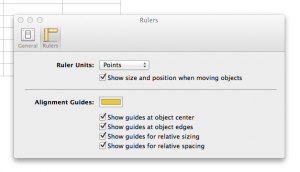
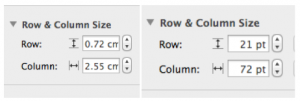
default cell size in cm and points
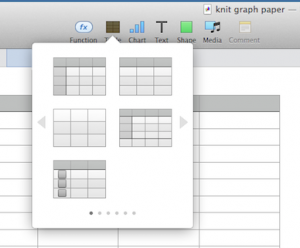
Click on the table at top of your document screen, to the right of the function icon; select the first choice on the left, the second row a place to start Uncheck alternating rows on menus on the right, revise options
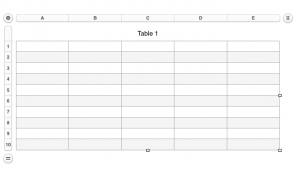
Click anywhere on the screen, and use the command all to select all table cells. Choose row and column size, type in your desired values, or using the arrows provided, hit return. Click anywhere on the sheet to get additional markings to appear again. With your mouse, grab and drag the _| symbol on the bottom right and you will also have the benefit of viewing the number of rows and columns in your document. Click on the circular target icon on the upper left, drag the _| symbol on the bottom right, and all units on the sheet will be resized to display measurements. For thicker, darker, or even in different colors and types of lines changes are easily made when working with the borders menus. Clicking on any cell leaves only your graph; selecting print from your file menu prints exactly what appears as the sheet number chosen, and /or saved; additional adjustment options are offered on the right
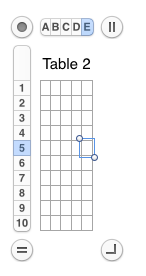
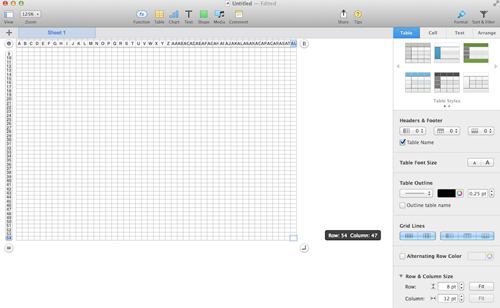
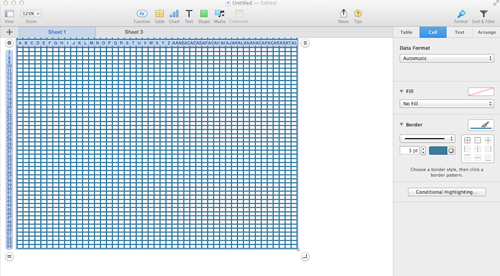
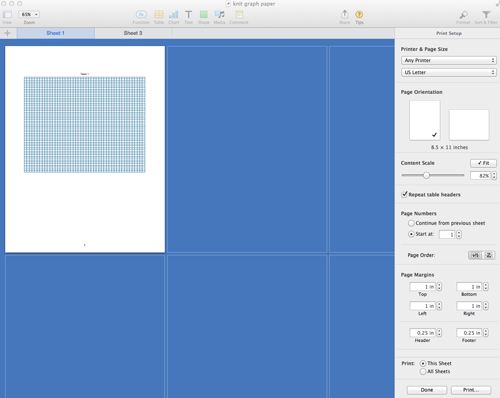
Click on the white part of your sheet, only your chart will be viewable and ready for printing. If a PDF is desired, choose Export to -> PDF from the file menu.
PUNCHCARD TEMPLATES
I had a Ravelry request for a punchcard template. In a previous 2011/12/14/more-low-tech/, I shared a method that got me in the ballpark using a Word document, for having a printable, near-scale graph. Here is an editable Excel workbook resulting in as near as I could get to printing the punch card at scale; included are beginning added markings for Brother machines that could easily be altered to suit other makes; lines at the side can serve for comments or notes.
Going about printing differently: I captured an image from my Excel template saved it, opened the image in Photoshop, adjusted the image size as below, and when printed the output was nearly dead-on in terms of size and would make tracing motifs from it onto a punchcard over a lightbox super easy Using Numbers the closest I could get to punchcard cell size at that point was using point values, 19 for rows, 18 for columns, and printing aspect ratio remained off.
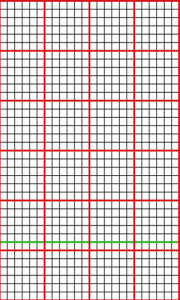
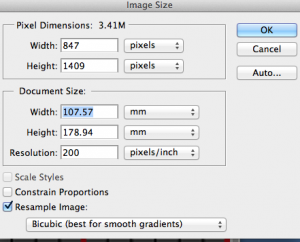
December  2022
In the initial try, the repeat used is a part of an electronic one, adjusted to a random 24-stitch segment, and it is 30 rows in height.
It is placed over a hacked lightbox of sorts, with a Brother blank punchcard taped over it to hold it in place. As can be seen, marking the card in the location of future punched holes would be fairly easy. Longer repeats may require the card to be shifted up very slightly at some point, which may work well, and avoid adjusting the original file height dimensions by very small point values and printing again.  
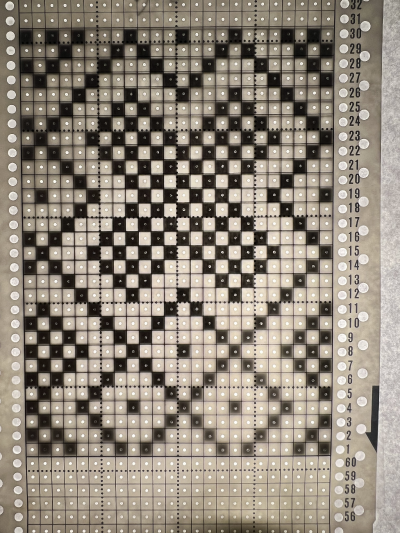
I have created all my numbers tables for charts up to now using the ruler units set to points. Matching the results of those experiments to a printed template for marking the card in punched hole locations was slightly off and required a bit of shifting to the card during the process.
Creating the spreadsheet using cm ruler units rather than points I came up with a template I am sharing, measuring 24 cells in width, and 60 rows in height as most standard factory-supplied blank cards.
The program will separate the design into more than one page if needed when File Print is chosen.
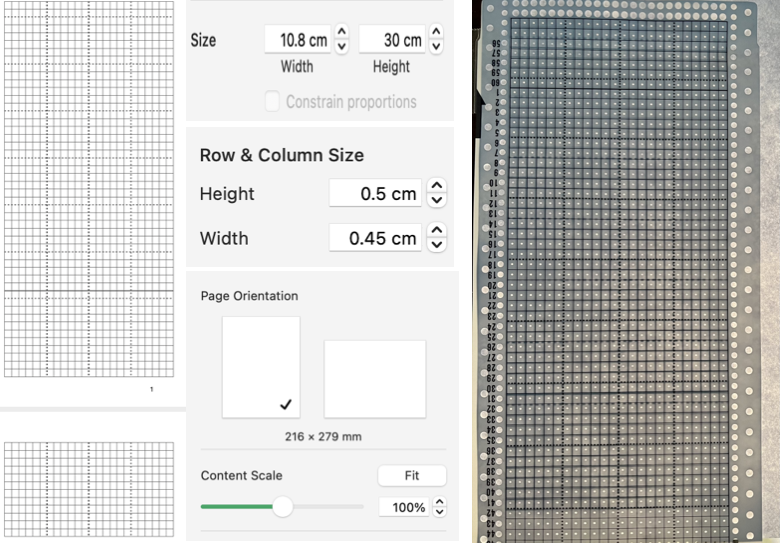
On the left, the 60-row table is divided into 2 sheets/pages.
The center shares the settings for the size of the table, the row and column size, and the print settings with Fit unchecked.
Punchcards design bodies are marked with a square grid. Using a ruler measuring in mm, they are fixed at 108 mm in width by 300 mm in height.
On the far right, a blank punch card is laid over the printout of page 1 of my document on an improvised lightbox, with what appeared to be accurate placement results: New downloadable documents should open with the corresponding points ruler setting unless you have already been using the program with the centimeter ruler setting. I cannot test the Exel documents.
For designing:
punchcard blank_excel
punchcard blank_numbers
I have had consistent success in maintaining the aspect ratio with ruler units set to centimeters, 2024, Numbers 13.2 :
punchcard-blank 35 09  meets the maximum content of 44 rows
print-card 60 rows will split the card into 2 default segments, the template is editable if operating in a later Mac OS, these options will be offered when the numbers spreadsheets are first opened print card_Excel
A PDF: punchcard-blank 35. To print to scale using Acrobat Reader, select:  Changing rulers in Numbers, from the program’s manual: Added info and results in the post Numbers and GIMP: online punchcard patterns to electronics 2 7/21

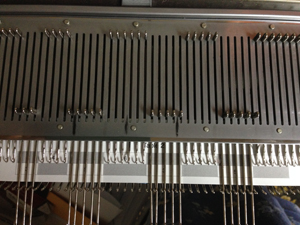
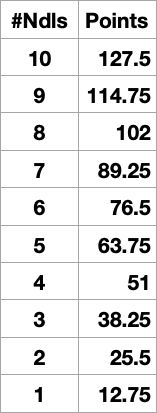
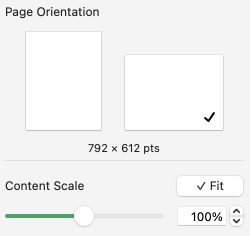
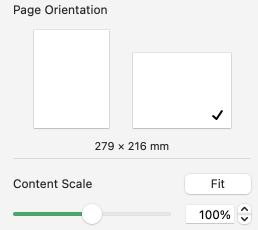
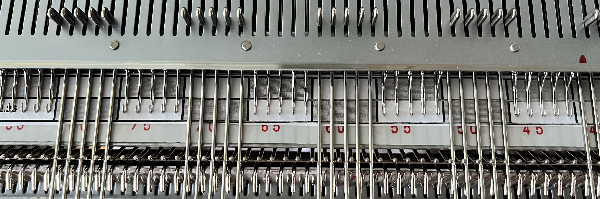
CUSTOM NEEDLE TAPES may be used as guides to track actions such as sequences in short rows or hooking up stitches (standard KM needles are 4.5mm apart). My color printer is defunct, so this is the grey version. Color coding or notes may be easily added to blocks for more complex fabric manipulations. A reference for some conversions of mm to points based on needle spacing, each 4.5 mm unit = 12.75 points, rulers may be set to centimeters, see the bottom of the post.  Print the results at 100% in landscape orientation with fit checked Some tables to test, editable to suit your needs. Keep in mind the size of the print area in the document is indicated immediately beneath the page orientation illustration, in points.
tapes_numbers
The last table in the document is designed for use on 35 stitches arranged in mixed-width segments. It has been printed and is shown here on the machine, placed under a random needle group, with corresponding needle selections in and out of work. The topic was revisited here. A variety of printable tapes for multiple gauge knitting machines is offered by Claudia Scarpa in her blog post.
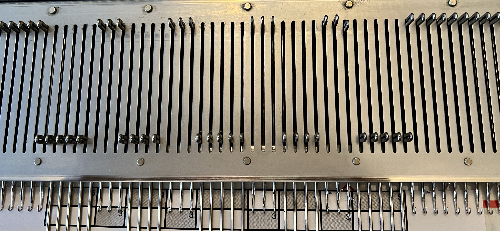
Working in cm, taking into account that needles are 4.5 mm, 0.45cm apart eliminated the conversion to points.
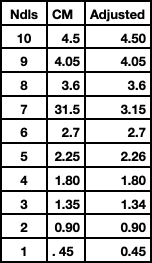
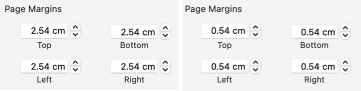
The program alters a couple of the values for the width of the table cells slightly, as seen here for 1-10 cm needle spacings To maximize the available printing space, under print setup change all margin values from any preset default to 0.54 Although the print setup shows page numbers in cm, the page orientation measures are given in mm, the width in landscape orientation is 279mm=27.9cm, with 26.8mm available drawing space when page margins are set to 0.54  The 2.26 mm cell unit tape in place on the machine  2024
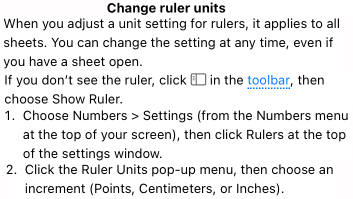
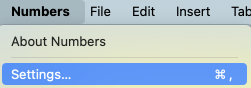
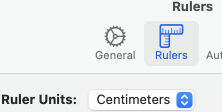
To change rulers in Numbers 13.2 to Centimeter setting, and avoid the need for any conversions to points from the Numbers Menu at the top of the screen Choose Numbers >Settings then click rulers at the top of the settings window. Click the Ruler Units from the pop-up menu, then choose an increment, in this case, centimeters.  The math in calculating table cell size is simple. This export is a revised copy for use in Numbers 09 using cm rulers: needle-tapes-only.
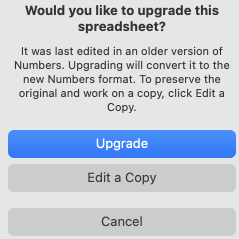
The later versions appear to ask if you wish to upgrade the document.
The file created in version 13.2:
needle tapes only_numbers 2
 

Miters and spirals: visualizing, charting (and more) 3

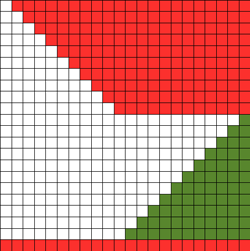
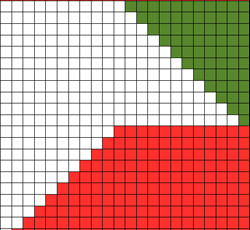
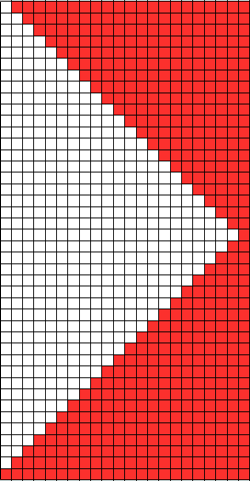
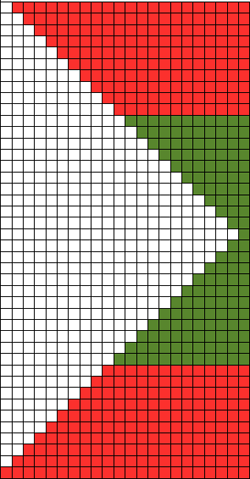
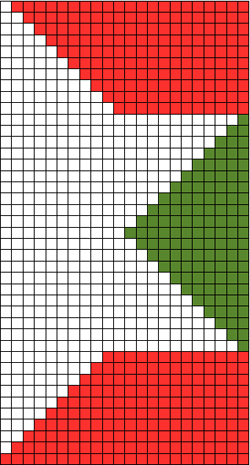
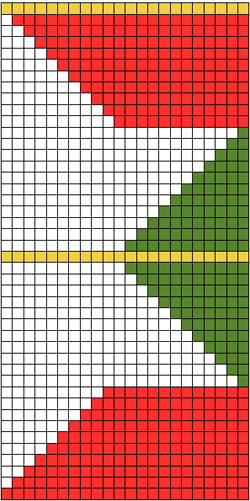
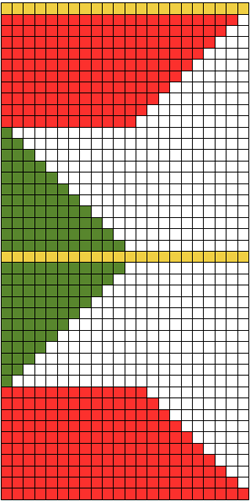
SPLITTING THINGS UP leads to a series of quite different fabrics, sometimes creating interesting secondary solid color shapes when striping is added to any of the forms; repeats will need editing to avoid extra rows to keep the designs balanced, or have them added across their width for extending shapes, such as in creating ruffled effects. I have worked on these charts using Numbers, image capture, and resizing and editing again in photoshop if needed. The images below are not intended as a “sit and knit” tutorial, but rather as a start for creating your own designs, on the desired number of stitches, I randomly picked 22

some possibilities on method: SPIRAL original shape

splitting in 2 parts

changing positions and stacking, all knit row edited to bottom of repeat

a mirrored segment

added to first repeat, center line double row edited out for knitting

MITER: original repeat

split repeat

moving parts around

areas for adding plain knit rows in desired numbers across the knit (yellow), keeping in mind how this will affect color changing sequences if striping is used to create secondary patterns; repeat usable for machines with color changer on right

mirroring the whole repeat horizontally for use with color changer on left

Changing colors at regular intervals including every 2 rows will yield secondary, geometric patterns; all knit rows may be added to the right or left of the shapes maintaining color changes, for different effects; if these are planned in extended “white areas”, the holding sequence needs to be maintained every other row; slip stitch setting may be used to automate, with repeats reworked for use on 24 stitch punchcard machines. I find when exploring any of this initially, working repeats as hand techniques helps me understand necessary sequences and editing before committing to punching holes, filling mylar squares, or programming pixels. Swatches and notes, swatches, and notes…

Miters and spirals: visualizing, charting (and more) 2

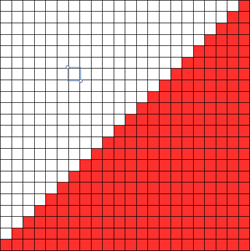
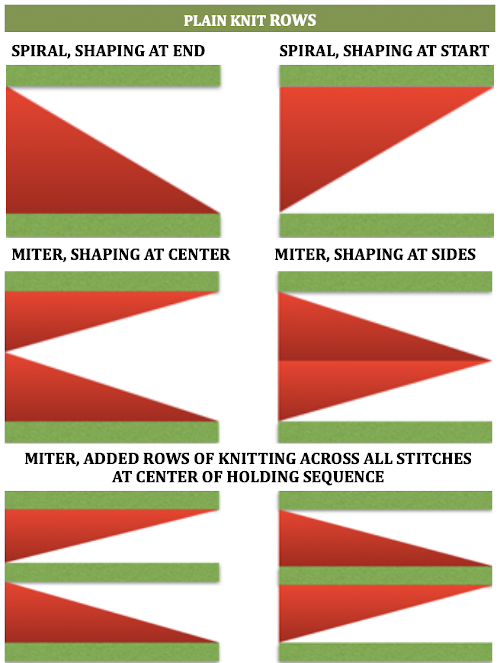
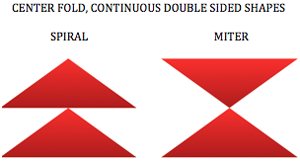
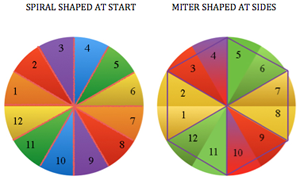
Visualizing the shapes (using charts in Mac Numbers)A spiral gore is the first or second half of a miter gore, conversely, a miter gore has 2 consecutive spiral gores, knit in a mirror image. GOING ROUND: numbers 1-12 represent knitting sequence for wedges, thicker lines at segment edges = rows across knit width at end of each sequence, 2 rows or many more depending on planned design shape
Previous posts on related topics:
2011/06/18/knitting-math-and-pies1/
2011/06/24/taking-it-to-a-garment/
2011/03/29/the-doilies/
2013/12/28/short-rows_-balls-tams-3d-rounds/

Miters and spirals: visualizing, charting (and more) 1

Getting my thoughts together on this topic I searched for any of my previous posts that may be related, here is a list
2013/12/18/holding-stitches-short-rows/
2014/02/24/holdingshort-rows-hand-tech-to-chart-to-automating-with-slip-stitch-1/
2013/12/28/short-rows_-balls-tams-3d-rounds/
2013/01/21/automating-pleating/

Even in my earliest days as a hand knitter, I liked charting out my sweater shapes ie sleeves, necklines, etc on graph paper and tracking my place by marking the appropriate row or every other row on the charted image. Many of the formulas for charting math in garment shaping may be emulated by drawing a line on the chart where each square represents a stitch and a row, connecting points, and filling in squares. Averaging out grid shifts is also the guideline to increasing and decreasing for shaping on pixel charts. Though this may be a bit of egg before the chicken, I got sidetracked playing with software yet again.

GIMP

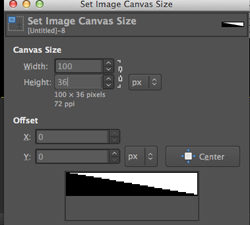
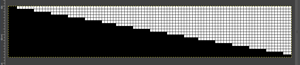
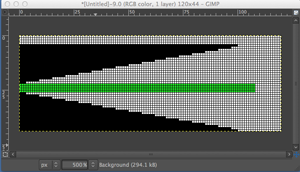
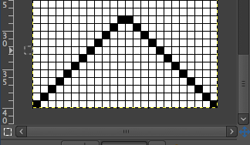
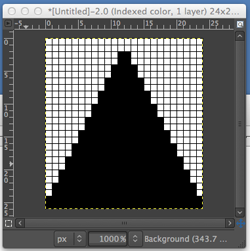
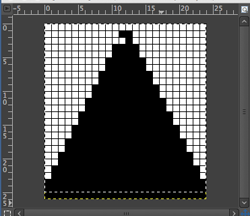
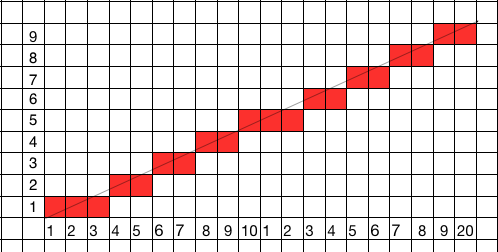
Working premise: using holding to shape a wedge over 36 rows. Stitch multiples  are brought into hold opposite the carriage (floats will be created if they are brought into hold on the carriage side), in the instances below each graph row represents 2 rows knit, my fabric width at the start is 100 sts
Set image size _ pixels equal stitches and rows required

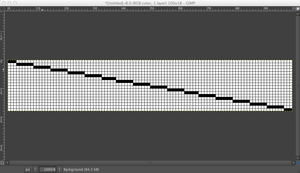
Magnify X 1000 (this is what I prefer for viewing and editing, less magnification may be used)

Activate 1 stitch grid/ show grid/ snap to grid

Make certain the whole image is within your window view

Using line shape: click on the upper left corner, press shift key_a drawing line will appear with a + symbol at its bottom right_click on the first square on the bottom right, a line will appear where black squares represent  # of stitches to be held each row

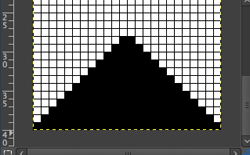
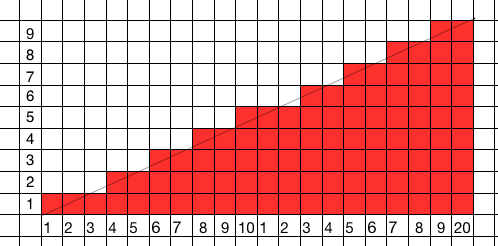
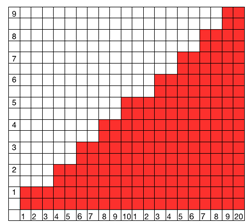
bucket fill in  the appropriate side of the wedge to represent knit stitches

create a new, larger canvas that will accommodate desired multiple stacked repeats and possible knit rows in between shapes in a new window; copy image from the first window, paste  into the new window, move it, and place in the desired location on your  screen

return to the first window, flip the image vertically (image menu/ select transform and direction)

again copy, paste, move into the desired location, and insert knit or (patterned) rows (green) when and if desired. On electronic machines, the final image would have to be doubled in length, so those “knit row” pixels/squares would have to be adjusted accordingly to half the desired number

Row by row charting for double-height to represent each row of actual knitting: the process

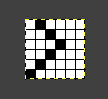
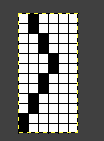
starting with a repeat 6X6

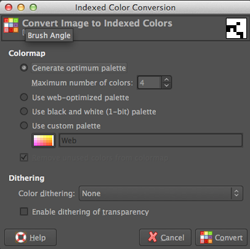
convert image to bitmapped (repeat at upper right below is a different one, should match the one being resized)

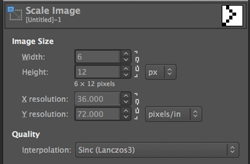
scale image: click on the locked symbol/ chain link, in turn, to alter the aspect ratio, change both pertinent numbers

the repeat twice as long, 6 X 12

going 3D, possible spiral

eliminating squares

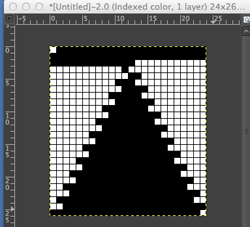
shifting things around in order to add “automatic wraps”, begin knit with COL

in further progress

triangle-auto-wrap

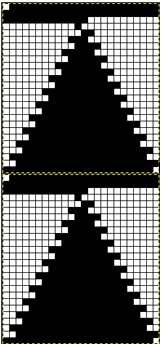
stacked repeat

stacked repeat

save in image in format for downloading to machines via cable and knitting using slip stitch setting, or export or screen grab for printing and knitting from chart visually as hand technique. If printing images colored cues may be added for carriage/lock setting or color changes, etc. The question: what about numbers and excel?

NUMBERS

Using the line tool (shapes) will get the line in place, shaping is “eyeballed”

knit squares are filled in

so you want to double the height only? Apple for some reason when they  “upgraded” to the latest version of the program (3.2) has eliminated the split table feature, so the only way I can see is through using the table: add rows above or below in the chart, a new row will be a copy of the selected row

EXCEL

the insert row option will add rows only below selected ones, I have not found a tool equal to the line shape in Numbers
From punchcard to hand technique or hand knit

Emulating the repeat in the post Studio transfer lace knit on Brother 910  and Revisiting use of lace patterns Studio vs Brother machines

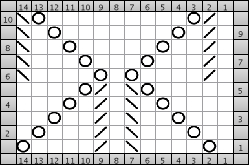
here is a chart for reproducing it as a hand knit, generated in Intwinedthe accompanying text generated by the programexecuting ssp from Knitters Brewing Company

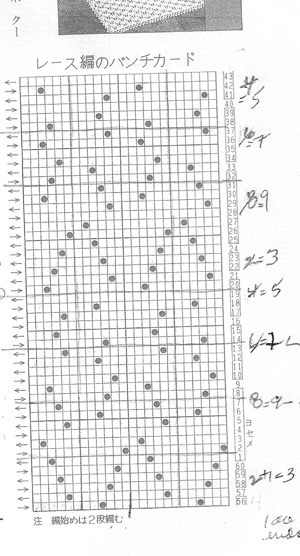
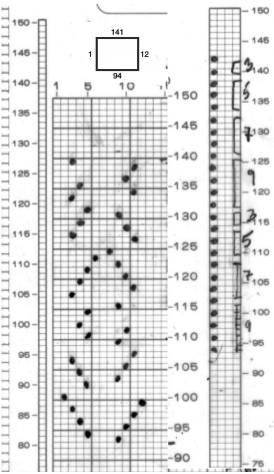
I tried the pattern as a hand knit and had difficulty keeping track of the reversals of twists front and back, so I headed back to my more familiar territory, machine knitting, and to the bulky machine to make the number of transfers a bit more manageable. The repeat is 14 stitches wide, outside the range of an effective repeat for a punchcard, but with transfers every row there is another way to use a card that requires no punching. Observing familiar rules, and text or symbols that are meaningful to us for the particular project (ie also for racking sequences), the card is used for notekeeping rather than needle selection. The carriage is set to KC, set for normal knit, no cam buttons in use. Because no holes are punched, there will be no needle selection. The card is locked on row 1 as usual prior to the first row of any pattern knitting , set to advance normally, and in my scribbly version it reminded me of several things. Each pattern segment is 5 rows, with the dark stripe indicating the beginning of each new segment. The numbers on alternate sides show the number of stitches that need to be transferrd with the aid of tools,  leaving an empty needle that will create the hole, and overlapping stitches on either side of a center point in part of each motif. I worked with 2 repeats. On rows 1-5 as marked on punchcard, stitches were trasferred beginning on the right, toward the right side edge of the knit,  then following the remainder of the partial chart repeat. When the next segment of rows was reached as indicated by numbers appearing on the left of the card, beginning on the right edge again,  the first group of stitches was transferred away from the knit side edge, once again following the chart segment. As the lines of holes begin to show, it is easier to see the direction in which one needs to move as is the resulting pattern. The ridges created as the stitches overlap on either side of the center single knit stitch also can serve as guides in keeping track. I used no weights, just the opposite hand to pull and guide as needed. The number of moves is likely to require a looser tension than usual for any familiar yarn.the swatch, knit side, using worsted weight, tension 6its purl side

…

Studio transfer lace knit on Brother 910

Eons ago I had “saved” a random copy of a japanese punchcard pattern in the someday I will figure it out pile. I was attracted by its opennes and what appeared to look like ladders as well as holes in the small B/W photograph. I have more experience in knitting and understanding of lace now, and in the process of studio clean up and paper possible recycling I found my “future project” and thought I would “tackle” it

the card

As can be noted in numbered markings, the card is a studio lace card. In addition, between series of transfers there is a single blank row = a single row of knit as opposed to the 2 rows commonly seen in brother’s kms’ lace

my mylar repeat, with notes on R sidebar as to # of LC passes, rows knit

the method: with no repeat adjustments or conversions

I began with lace (LC) carriage on left (OL), knit  (KC) carriage on right (OR). Because a selection row is required for the first transfers row to occur, I added one row to each of the suggested lace pass sequences marked on the punchcard. The LC as a result travels an odd number of rows. It will begin on the side opposite from, and move toward the KC. At the end of each of the odd numbered row sequences it will reach the same side as the KC. At that point there will not be any needle selection. The LC is released from the needle bed, and the KC knits only one row to the opposite side and remains there. The LC returns to the bed opposite to the KC, and the sequence is below is repeated:

LCOL  9 passes, release 
KCOR knit one row to left 
LCOR 7 passes, release
KCOL knit one row to right
LCOL 5 passes, release 
KCOR one row to left 
LCOR 3 passes. release
KCOL knit one row to right 

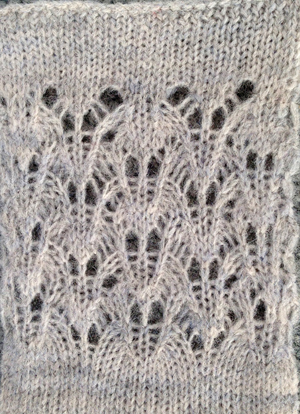
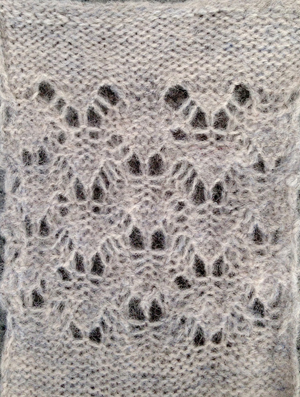
I used a waste yarn acrylic for my swatch, which became scratchy, flat and stiff, losing any texture when pressed, and shrinking a bit so as to almost looking felted, yet another reminder  test small swatches fefore committing to larger pieces.  Here is the result

knit side

purl side

a new day, a different fiber, the joy of not noticing dropped stitches

“unblocked”, rayon yarna bit closer, after light pressing

for sample knit on 930 with img2 track please see later post 

Some notes on machine knitting color changers

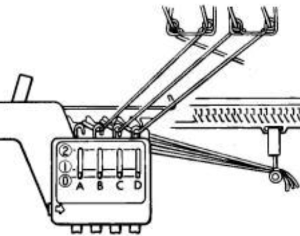
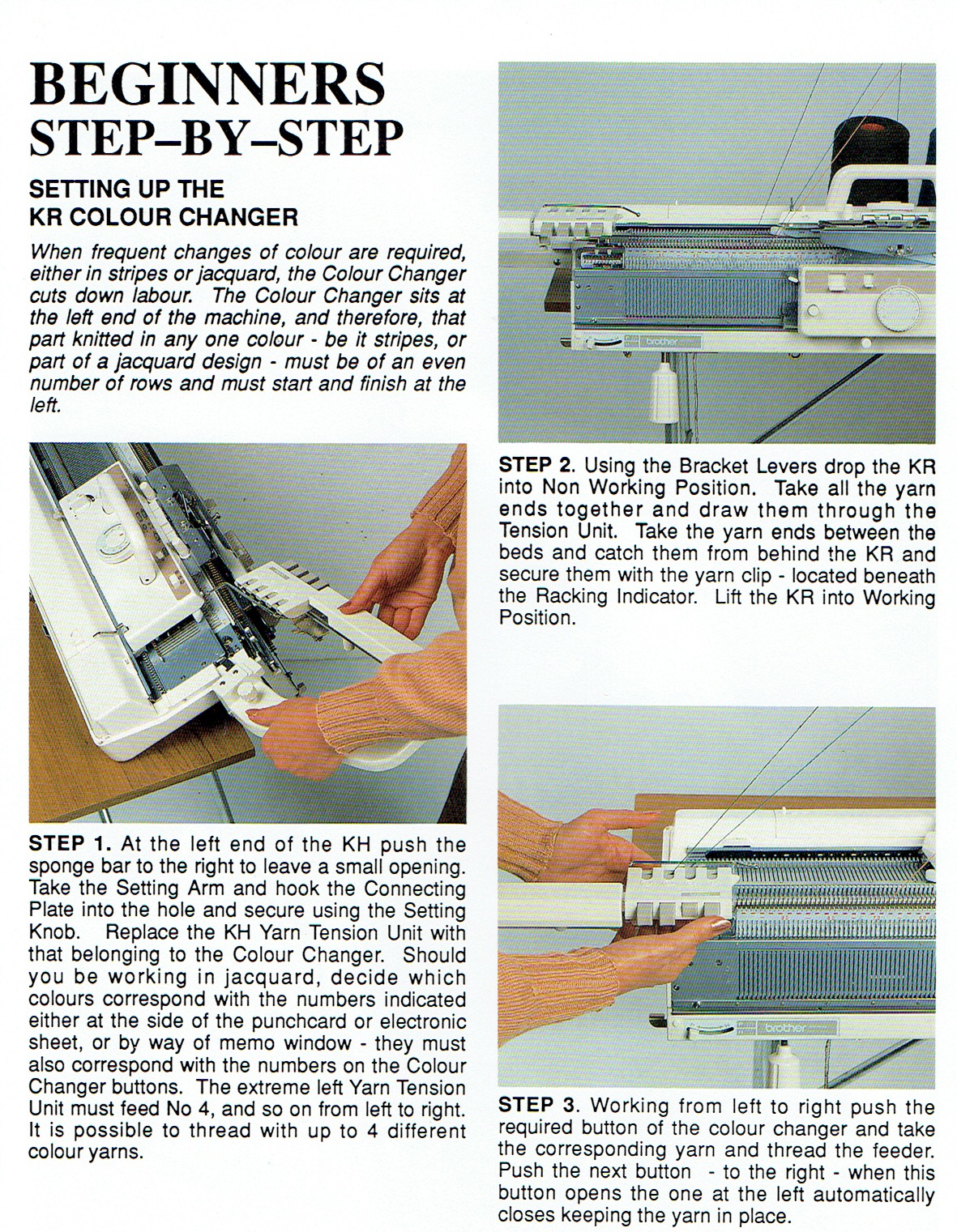
One double-bed example, the Brother 900 E DB changer for use on both standard and bulky

The Studio/singer YC6 may be used either on the single or double bed simply by repositioning one piece. It includes a 4 color tension unit, a special sinker plate,  and a set of cards that are for use only for DBJ.  It has a 4-button yarn changer, which can be set for automatic 2-color changing.
Brother/Knitking comes with a supplementary two-color yarn mast, a special sinker plate, and a four-button changer. A button must be pressed manually for each color change.
To color change on Studio, the next color button is pushed/selected when the KC is on the right, in Brother machines, the button for the next color selection is pushed after the KC is in the yarn changing area after the audible “click” is produced when the carriage has traveled far enough.

The wires and tension units exert more tension on the yarn than standard tension units, which affects gauge so if one is knitting garments, the units should not be changed while working on the same piece, nor should calculations for gauge be used if they were produced in the same yarn, but using the alternate tension unit. Tension may have to be raised by at least one number or more to prevent dropped stitches and obtain the desired feel/drape.

If a carriage jam occurs, the sinker plate needs to be removed before using the release lever for KC.

If using changers for fair isle: in cards punched for FI knitting single bed,  normally the contrast color, corresponding to punchcard holes (black squares on mylar, or pixels, depending on machine and programming) is placed in the B sinker plate feeder, and background yarn in the A.
When using the color changer, the manuals will state that the main color is normally in B while the contrast color is in A, where it can be changed automatically. However, that depends on which part of the design is to include the color striping.  If it is to occur in the motif, the card needs to be modified by being punched in reverse. If the striping is to occur in the background, a standard card and position may be used. If one wishes to alternate, both ground and motif may need to be punched separately as for use in 2 color slip stitch.

More than 2 colors per row require color separations of the original design for knitting with slip stitch setting, carrying one color at a time, in 2-row sequences.

The double bed color changer is used often for DBJ with color-separated cards though other fabric options are possible. It may also be used for single bed work, but the ribber must remain raised and the ribber connecting plate is used. This means that single-bed fair isle knitting is not possible, because there is only one feeder in the ribber connecting plate.
Using the changer is a viable option for knitting striped patterns on bulky machines. There are no brushes to help anchor the knitting like the ones in the single bed sinker plate, so even though the fabrics may be worked only on the top bed, careful choosing of repeat and adequate weighting is required ie in color tuck/slip mosaics, etc, knit with color changes every 2 rows.
I have read that Toyota did not have a color changer due to its built-in simulknit/automatic DBJ, with only 2 colors knit in any one row.

Sometimes metal parts/wires get bent in storage or handling even on ribber sinker plate, and may need a bit of bending and tweaking if colors are not getting properly picked up. Some Brother color changers have small adjustment screws under the arm that may loosen, and change their alignment to the needle bed, which is easily solved by adjusting/tightening the screw. Sinker plates should be cleaned and may be adjusted if required, just like the standard ones.

Some references: Studio YC6, Brother manuals

The set up as described in an early Brother Fashion magazine 

from the KRC 900 manual
High tech version: 1 set up 2 in use Automatic knitting system based on the Brother KH-970, consisting of a knitting machine Brother KH-970, set for the ribbing attachment KR-850, KE-100 motor drive, and automatic color changer KRC-1000E (6 color changer). 

The Brother single bed changers are the only ones I know of where the yarn remains in the changer after the color change, never leaving it.
A later post including some single bed color changer info: https://alessandrina.com/2017/05/01/knitting-in-pattern-with-2-carriages-brother-punchcard-kms-2/.
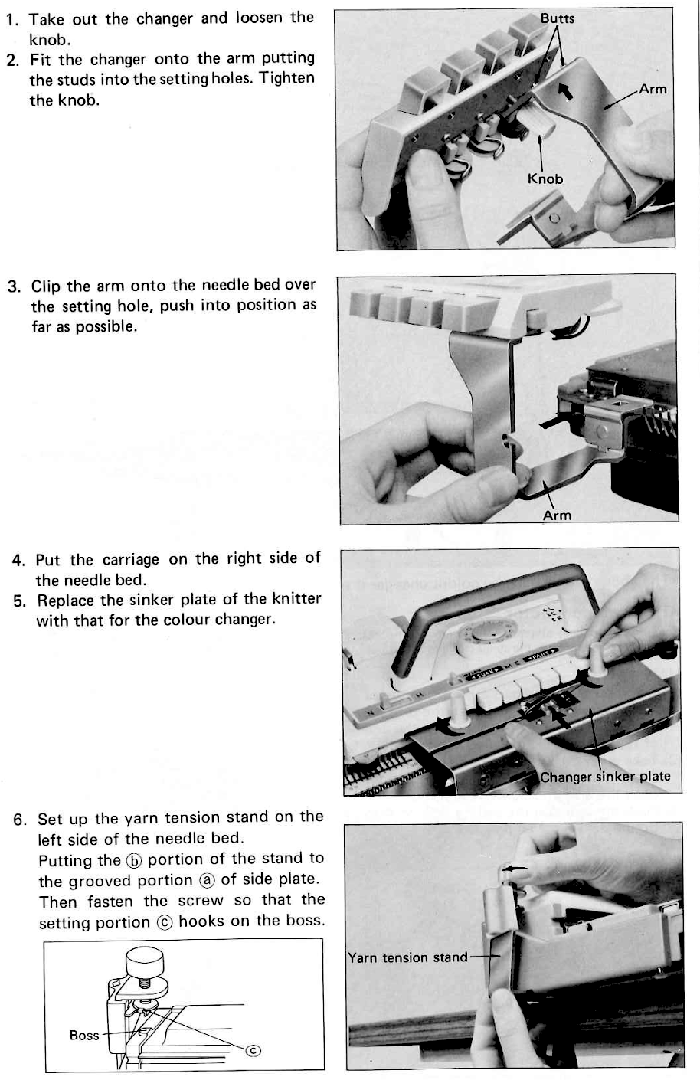
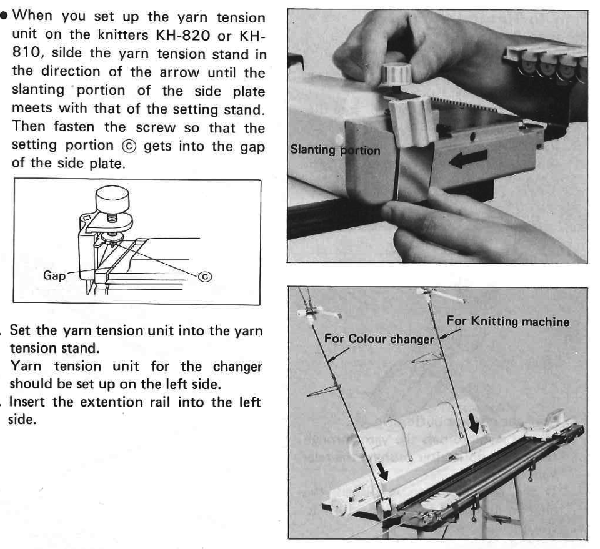
Excerpts from the 820 manual:  A member of the Facebook Machine knitting group presented information in June 2025, expressing issues when using the single bed changer when knitting on the full bed, and mentioning it was solved with using the alternate position on her changer.
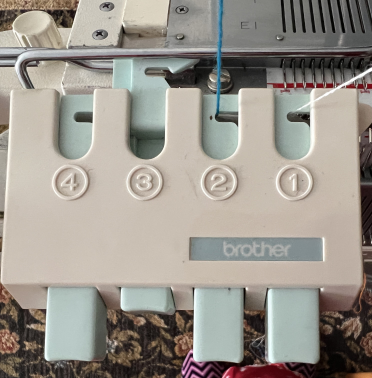
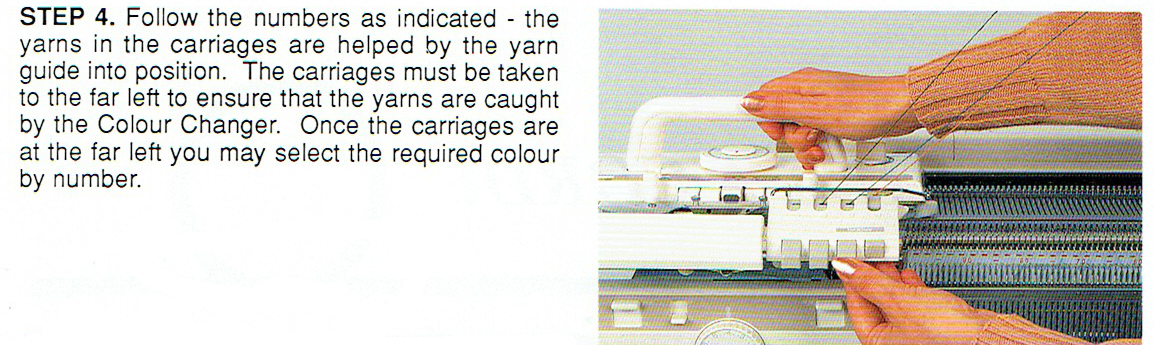
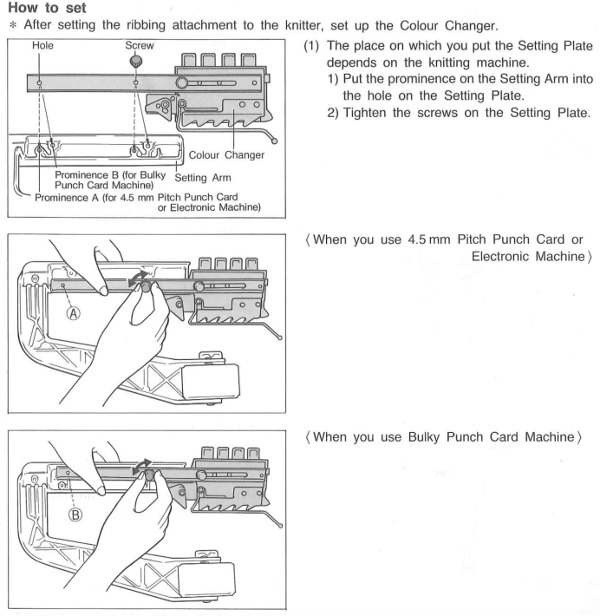
Following the images provided in the manual, it is easy to be unaware that there actually are 2 options available, with the second hidden by the left thumb in the photo provided.
The knob can be moved to position the arm under button #4, closer to the bed and the knit, or placed in the manual’s suggested #1, further away from both respectively. The openings for the knob placements are indicated with arrows in the image on the right. The auxiliary yarn tension stand was eliminated when later models introduced a place in the machine casing for the extra mast, my 930 actually offers 2 spots  

It is possible to cast on while the color changer sinker plate is in use, making certain the yarn is used and retained in its proper placement in its roller. I prefer to cast on with the standard sinker plate, knit some rows, weigh the piece, sort the required tension, place the yarn in its position in the changer with COR, and then continue.
It is always a good idea to test color-changing sequences on some waste yarn rows prior to the permanent cast-on of the finished piece.
A common cause of color-changer crankiness is simply not moving far enough to the left before changing colors, a step that definitely requires using that “lace” extension rail.
The use of waste knitting is shown in the directions found in the manual as well.

An added difference between brands, the Studio changer uses letters, and the Brother uses numbers for yarn positions in changers  

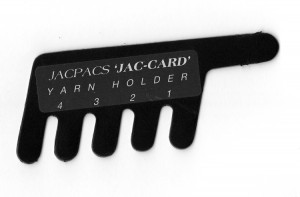
At the opposite end of the spectrum, the image below shows a low-tech “color changer” marketed beginning decades ago, and still available online. It is not practical to use in DBJ knitting because of the issues involved with removing the yarn from the ribber sinker arm in order to switch colors but can be an alternative for working single-bed on multiple gauge machines. It provides a way of holding the yarns that is easier and more successful than some of the other “creative” options for knitters who do not yet own a color changer accessory appropriate for their machine. An improvised “color changer” for knitting multiple color dbj by Chris Burdge, shared in the Ayab FB group.

Holding stitches/ short rows

I am planning a thread on motifs and miters, here is a brief review of holding stitches in preparation: short rows are just that. Instead of going the full width of your stitches across, you knit only a portion of the stitches on the machine, turn, and go back to the beginning, which results in one portion of the fabric knitting more rows than the other side of the fabric. It is also referred to as partial knitting. It is used to create many angles and curves. The machine’s knit carriage needs to be set appropriately; needles pulled to the furthest position (E_Brother_holding lever, D _ Studio _Russell levers, Passap will need pusher adjustments) will not knit. To return stitches to work in increments push stitches back into the upper working position (C or D depending on machine brand). In patterned knitting, stitches must be returned to the proper position for patterning with a transfer tool. In Brother machines needles need to be arranged manually in the proper location for the pattern to knit correctly, Studio machines will do it automatically since they select and knit on the same row. When using holding with the lace carriage held stitches are knit back to A using ravel cord and returned to the needle hooks in work position when they need to be knit. Because knit row sequences are in pairs (or more) there will be slits or “holes” perceived at the edge of the held knitting, these can be considered a design feature or nearly eliminated by “wrapping” the first adjacent held needle before knitting the second row, or knitting one stitch less than the required amount toward the held stitches, and then bringing the remaining needle into work before knitting back. Bringing more than one needle into hold on the carriage side will create “floats, so multiple stitches are usually brought out to hold opposite the carriage. Knits often tend to stretch more in width than in length, so in garments such as pleated skirts, it is likely the piece (knit sideways) will grow in length and tighten in width, with tension and garment weight providing 2 more factors. Large swatches and having them rest in the position in which the knit in the final piece will be worn are a necessity in calculations. Some references:

Settings and images of wrapping to avoid holes: this site is now down, the information may be found in webarchives , will take a little bit of time to load content
http://www.getknitting.com/mk_holdposition.aspx.
Calculating frills and triangles online http://www.getknitting.com/mk_0603frilled.aspx http://www.getknitting.com/ak_0603triangle.aspx

Short row one side only http://needlesofsteel.blogspot.com/2008/10/short-rowing-part-1-one-side-only.html.
Diagonal corner http://needlesofsteel.blogspot.com/2008/10/short-rowing-part-2-knitting-diagonal.html.
Short rowing 2 sides at once http://needlesofsteel.blogspot.com/2008/11/short-rowing-part-3-both-sides-at-once.html.

Shaping shoulders and necklines (Studio) Knitting: site no longer exists http://www.guagliumi.com/free_stuff/downloads.html for PDF download info Machine Geometrics – Susan Guagliumi – Threads magazine, April-May 1987, pp 66-71. The Studio knitting tips series of articles were originally published for dealers only, may now be found in http://machineknittingetc.com/catalogsearch/result/?order=date&dir=desc&q=studio++tips

A Ravelry post on the topic with hints for hand knitting by Rox Knits http://www.ravelry.com/twir/86/ask-a-knitter-26

TechKnitting on HK topic http://techknitting.blogspot.com/2009/10/basic-short-rows-theory-and-method.html
http://techknitting.blogspot.com/2009/10/short-rows-method.html